Set up and connect · Easy install
Live chat on your website in two minutes
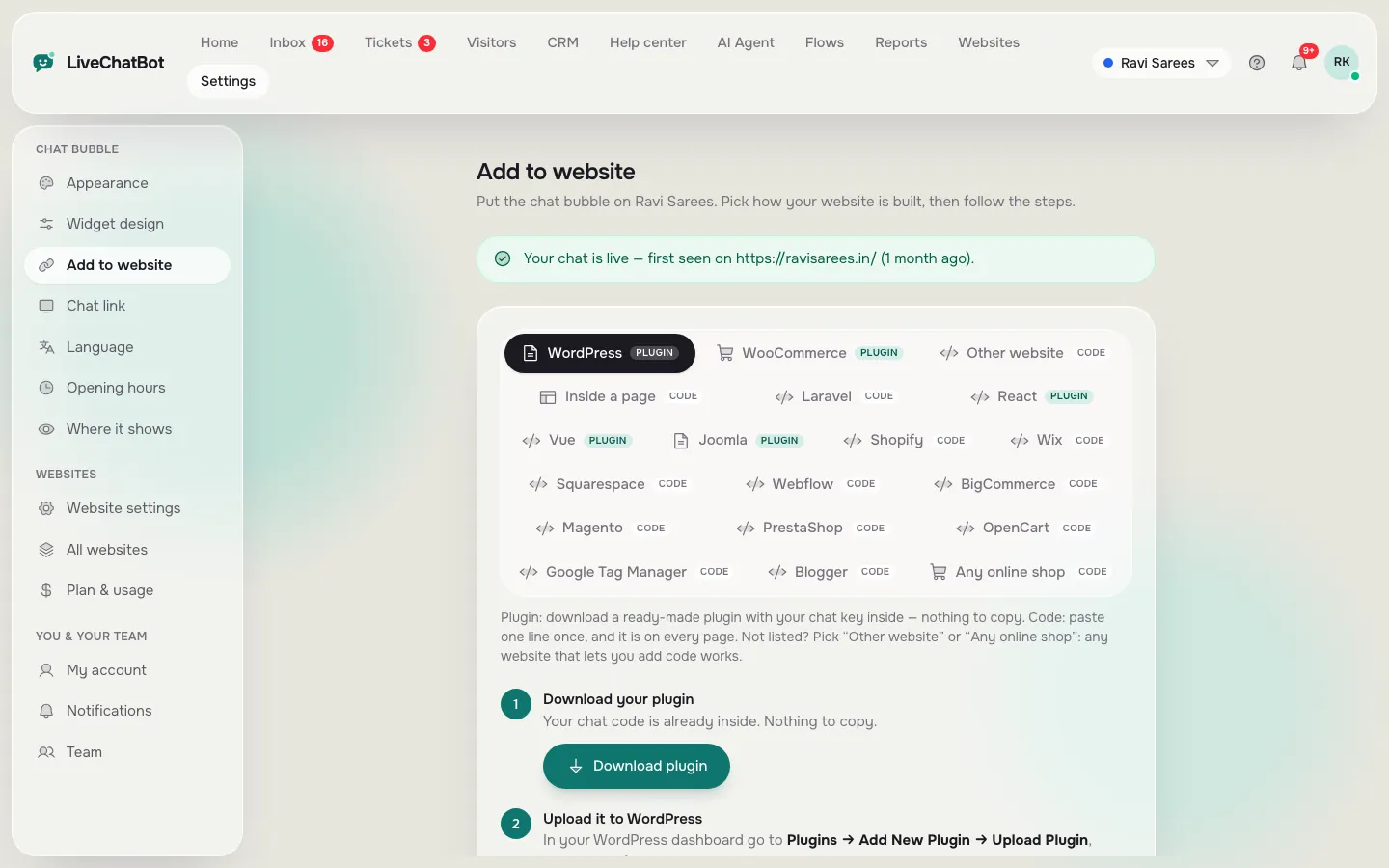
Copy one line of code, or install the WordPress plugin. Step-by-step guides cover Shopify, Wix, Squarespace, WooCommerce, Webflow, Joomla, React and more.
How you’ll use it
What you actually do in LiveChatBot, step by step.
Sign up free
Create an account and add your website.
Pick your platform
Choose WordPress, Shopify, Wix or another tab.
Paste or install
Paste the code or install the plugin. The page tells you when the chat is live.
What it does
WordPress plugin
Install from a zip, no code needed.
One script line
Works on any site where you can add code.
Platform guides
Shopify, Wix, Squarespace, Webflow, BigCommerce, Magento, Google Tag Manager and more.
Install check
See when the chat was last seen on your site.
Questions about Easy install
Do I need a developer?
No. Paste one line or install the plugin. Guides walk through each platform.
How do I know it worked?
The install page shows “Your chat is live” once your site loads the chat.
Works well with
Live chat widget
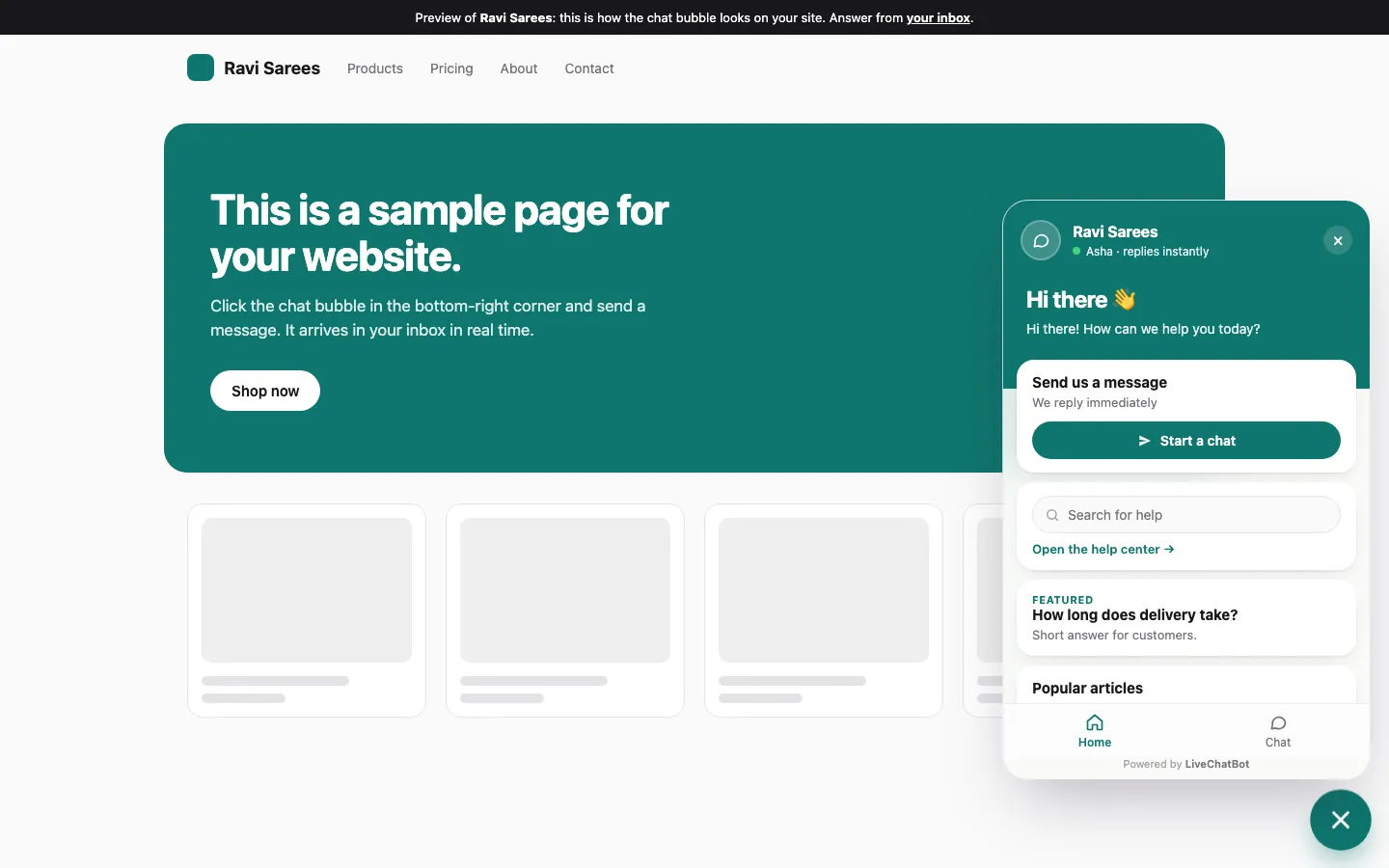
A light chat bubble for any website, on desktop and phone.
See how it works →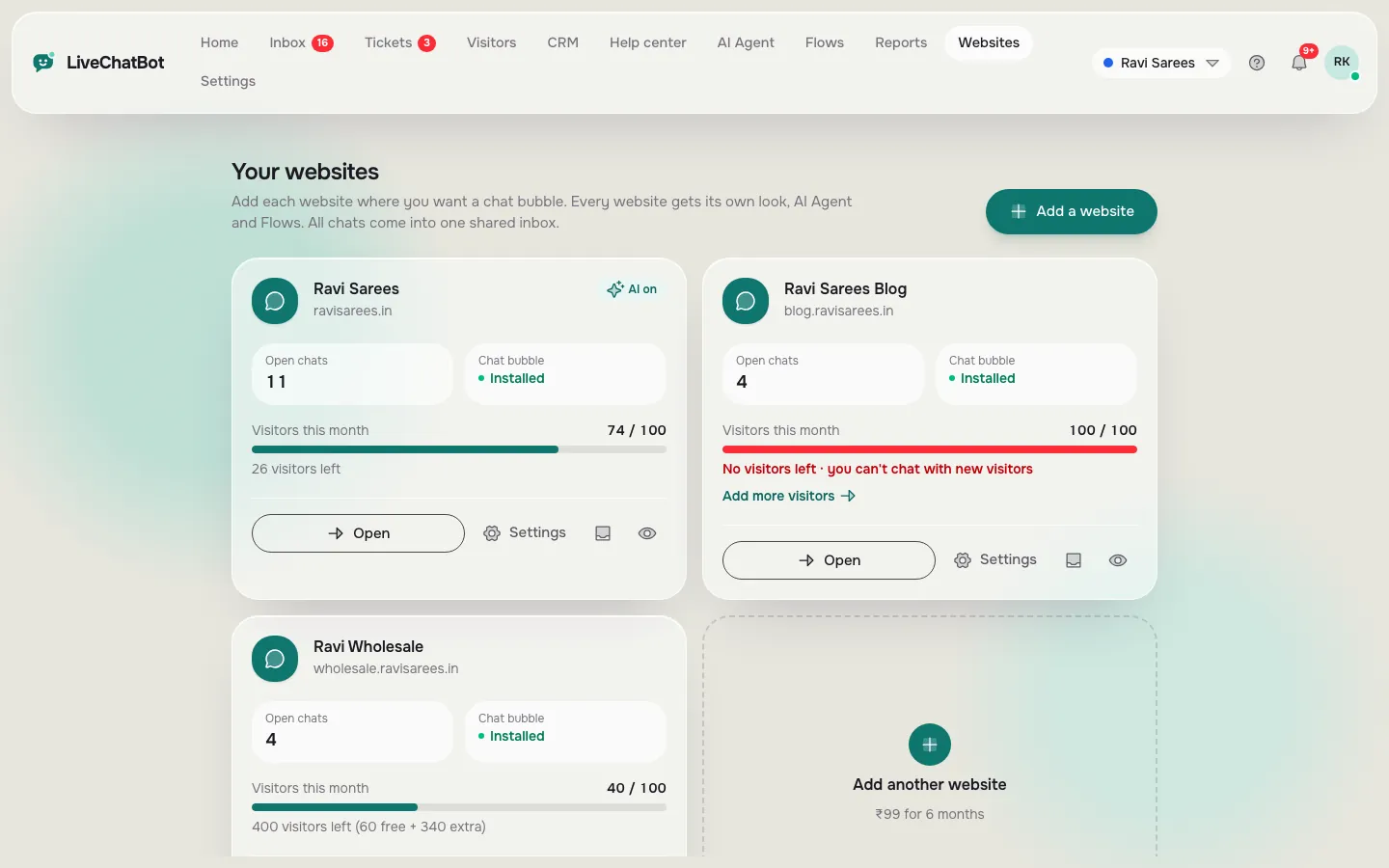
Multiple websites
Run chat on several websites from one account.
See how it works →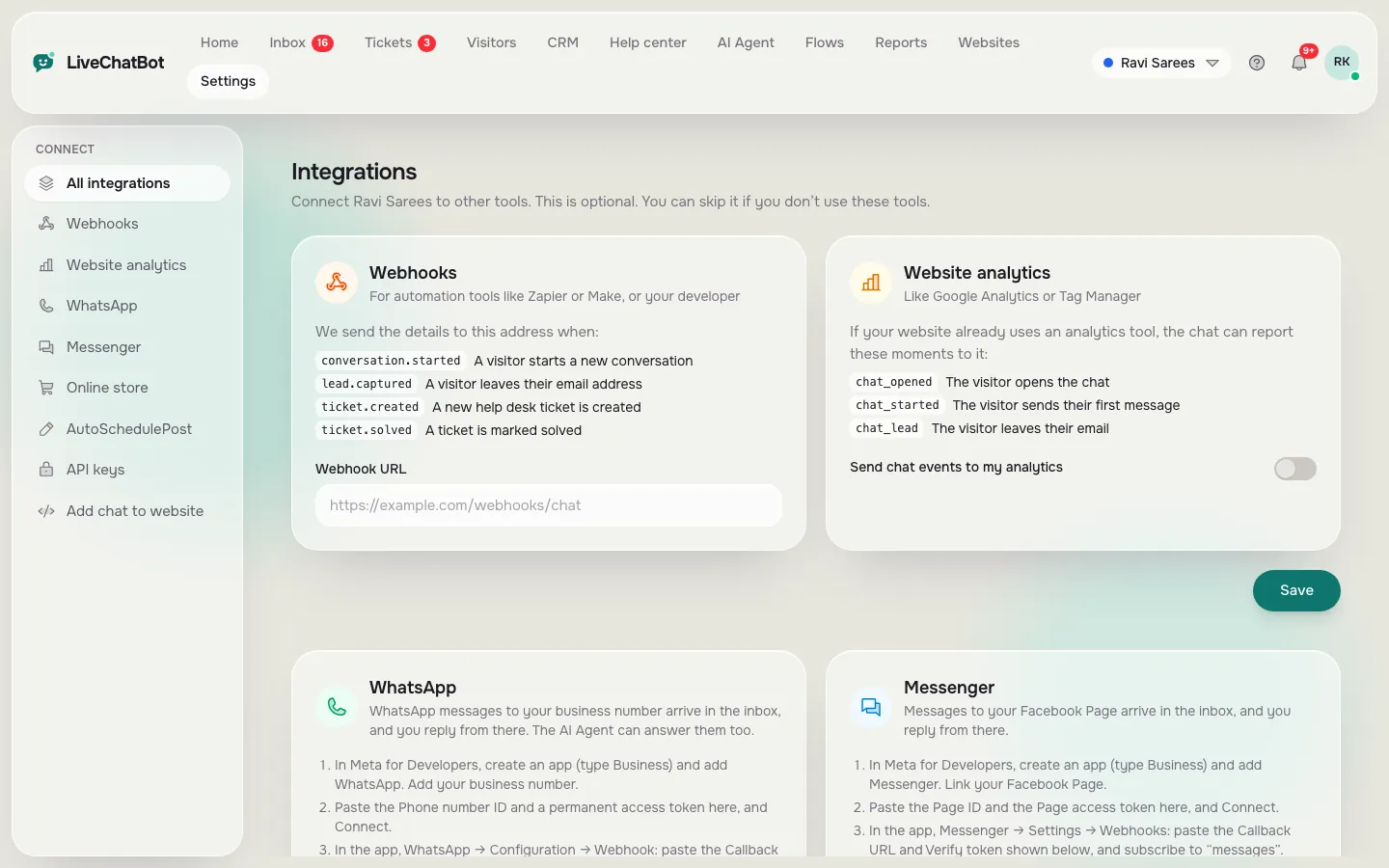
Integrations and API
WhatsApp, Messenger, online stores, webhooks, analytics and a REST API.
See how it works →