How you’ll use it
What you actually do in LiveChatBot, step by step.
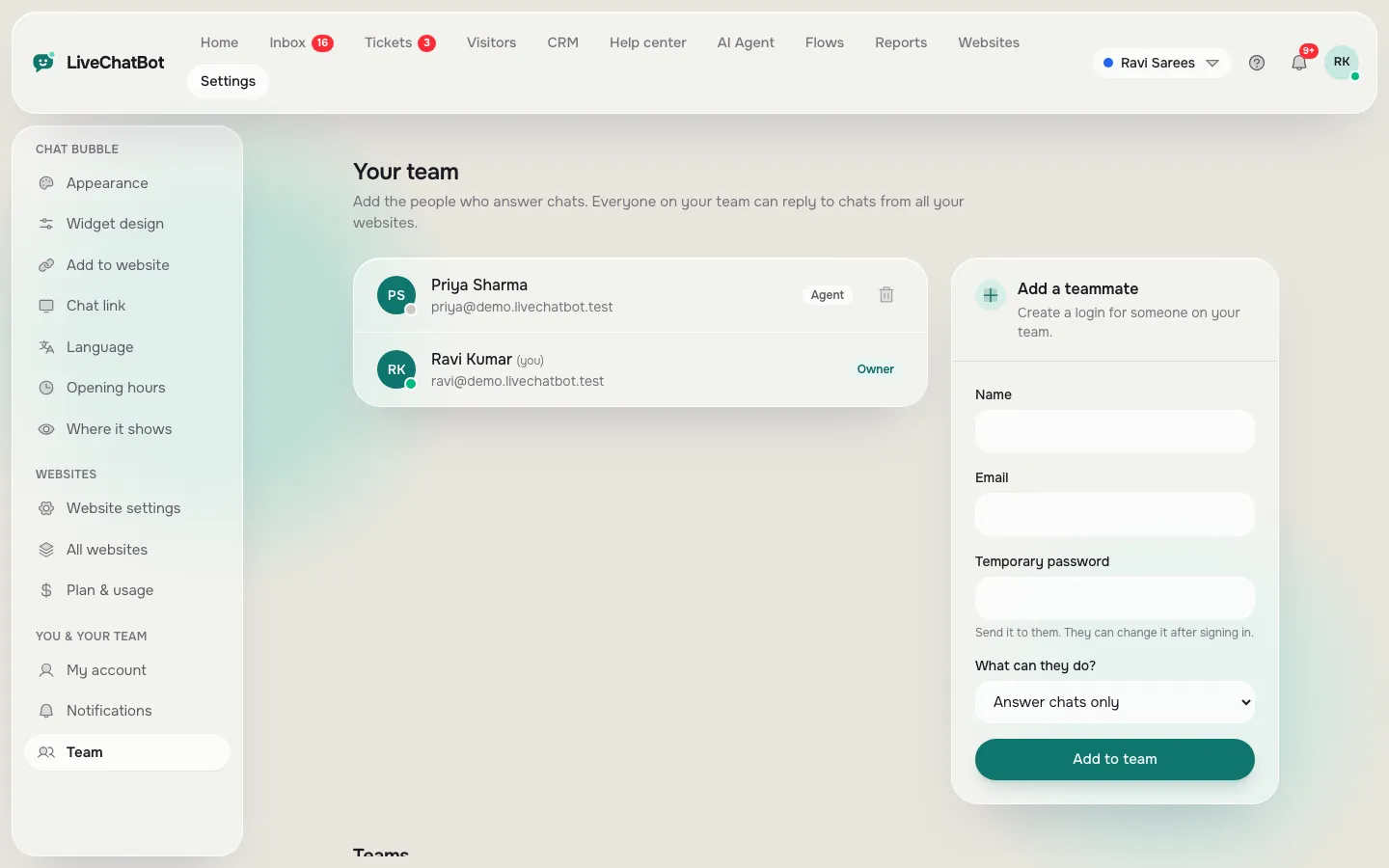
Add a teammate
Name, email and a temporary password.
Choose access
“Answer chats only” or “Everything, including websites and team”.
Make teams
Group people so chats and alerts go to the right ones.
What it does
Two roles
Agent or owner.
Teams
My teams folder in the inbox.
Assign chats
Give a chat to a teammate in one click.
Own alerts
Each person sets their own sounds and alerts.
Seven dashboard languages
Each person can use the panel in their language.
Questions about Team
Can an agent change my settings?
Not if you choose “Answer chats only”. Only owners change websites, billing and team.
Can chats go to a specific team?
Yes. The AI Agent and assign menu can route chats to a team.
Works well with
Shared inbox
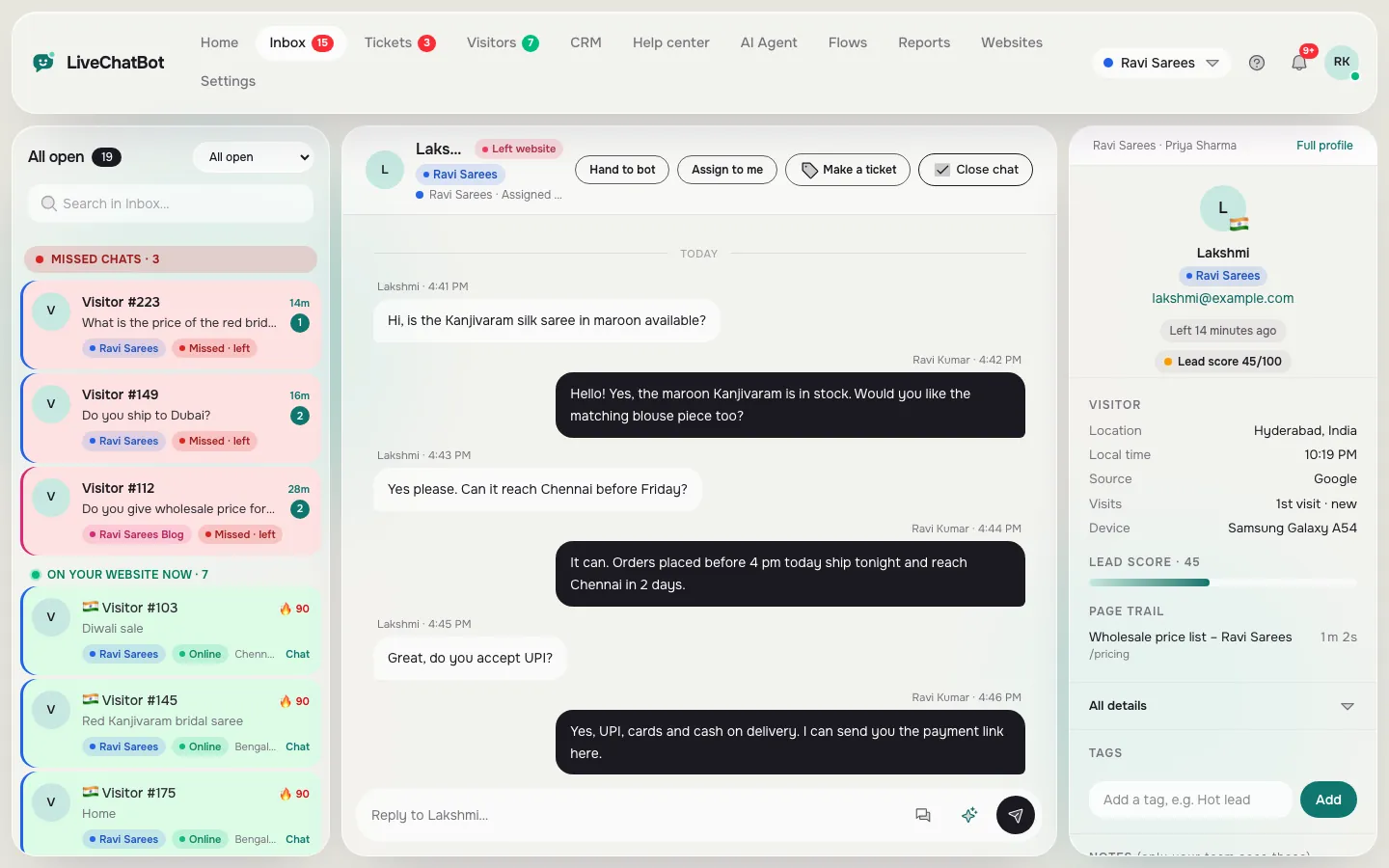
Every chat from every website in one inbox, with the visitor beside it.
See how it works →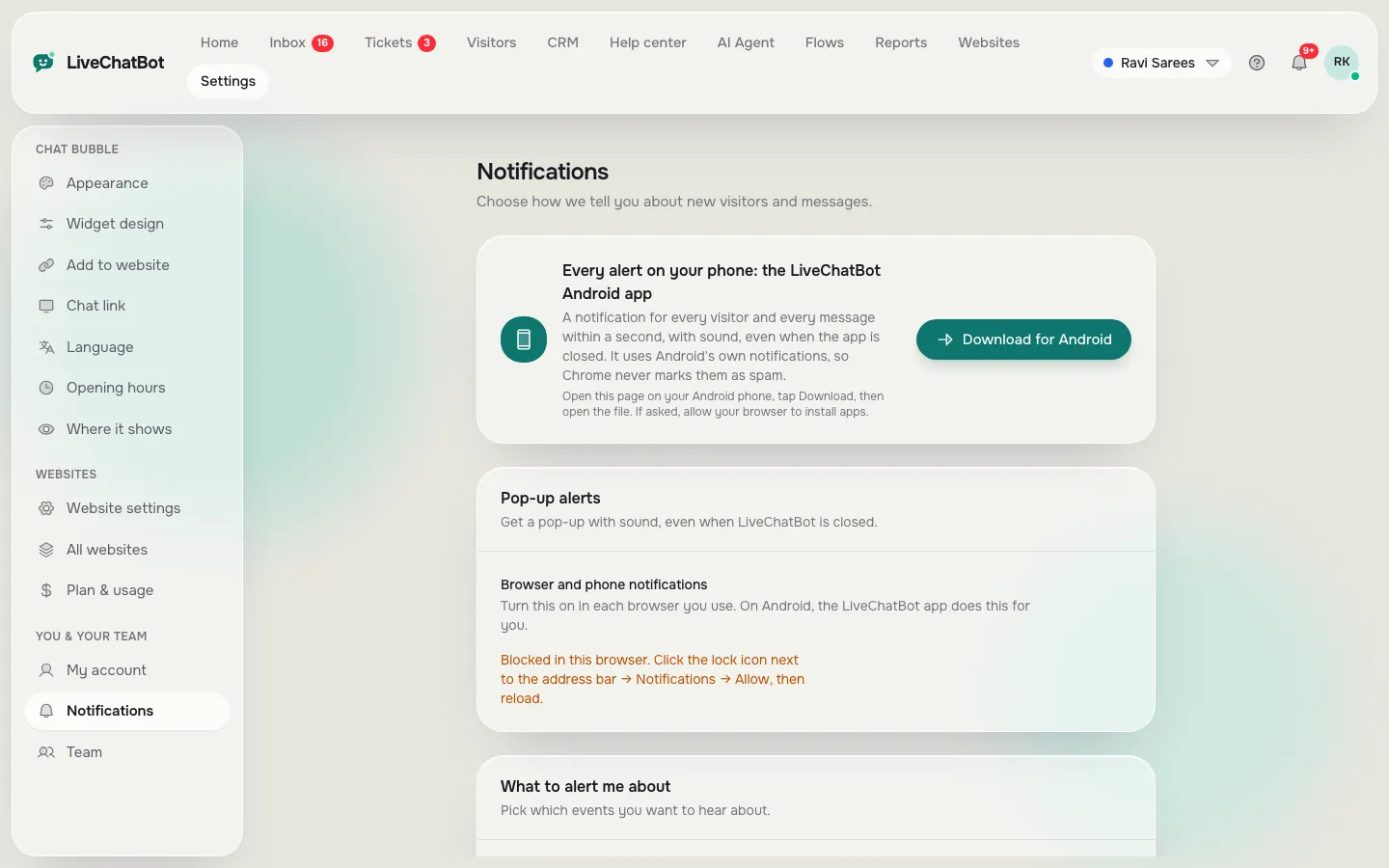
Mobile app and alerts
An Android app and browser alerts so you never miss a chat.
See how it works →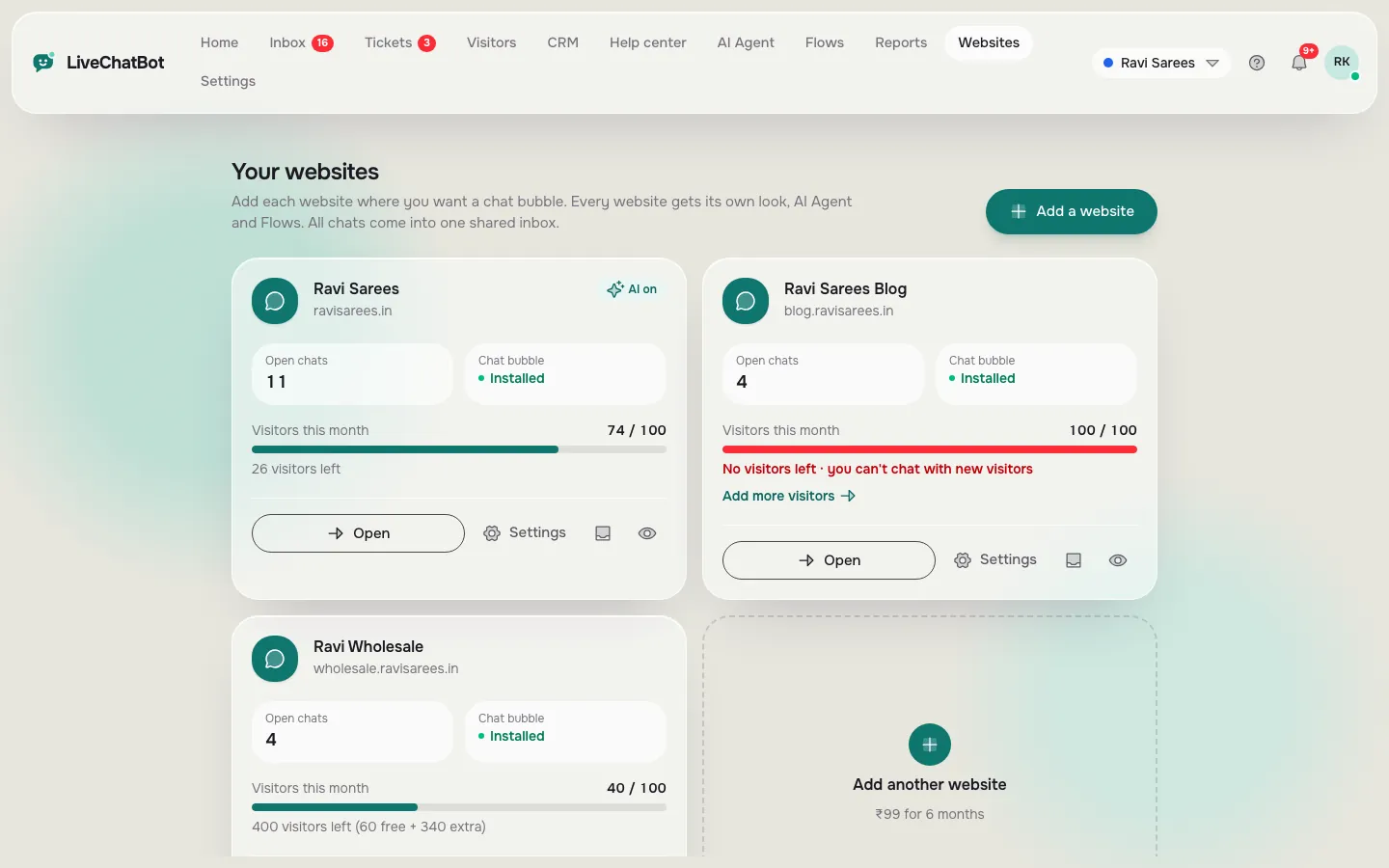
Multiple websites
Run chat on several websites from one account.
See how it works →
Live chat widget
Widget design
Chat link
Shared inbox
Mobile app and alerts
Live visitor tracking
Visitor profiles
Lead capture
Reports
SEO cycle tracker
Traffic and keywords
Pages to improve
Content ideas and auto posting
Google and AI crawler tracking
AI Agent
Chat Flows
Away messages and chat rescuer
Help desk and tickets
Help center
CRM and sales pipeline
Easy install
Multiple websites
Integrations and API