Talk to visitors · Mobile app and alerts
Hear about every chat, wherever you are
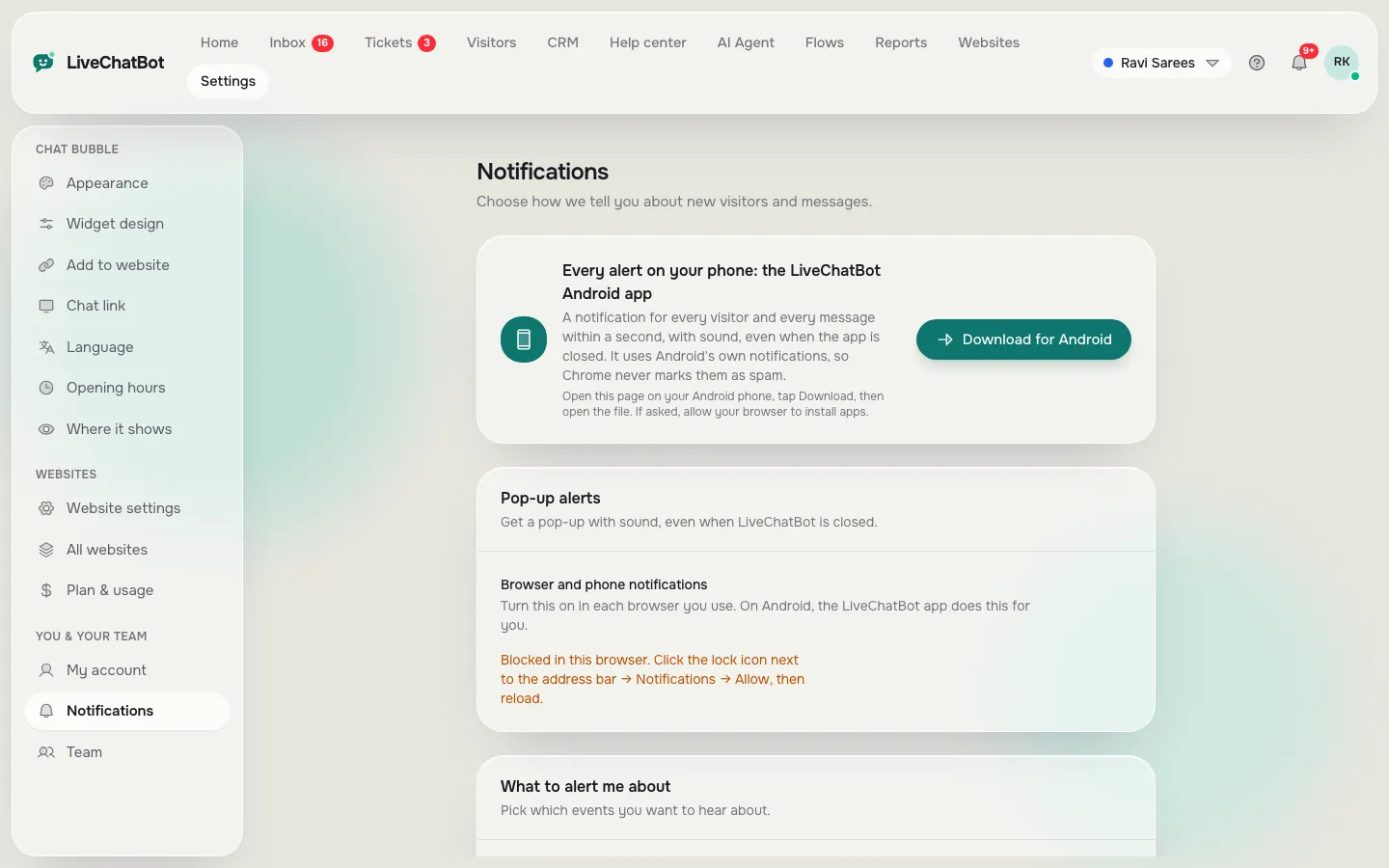
The Android app alerts you about new visitors and messages in about a second, even when it is closed. On a computer you get sounds and pop-ups in the browser.
How you’ll use it
What you actually do in LiveChatBot, step by step.
Download the app
Go to Settings → Notifications and tap Download for Android.
Pick your alerts
New visitor, returning visitor, hot lead, new chat, missed chat and ticket alerts can each be on or off.
Reply from the alert
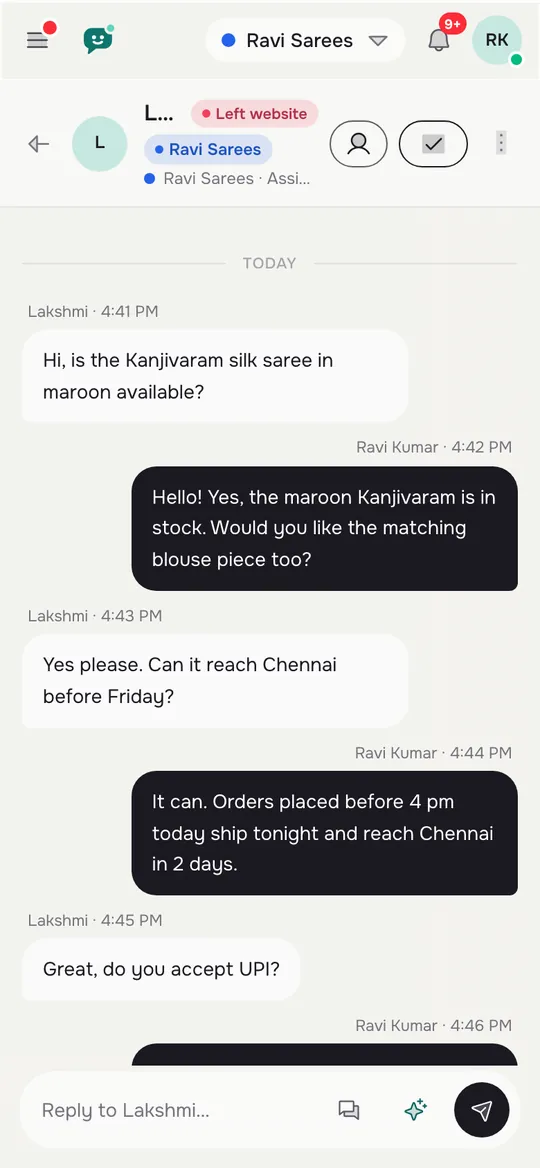
Tap the alert to open the chat and reply.
What you’ll see
Real screens from the LiveChatBot panel, shown with sample data. Tap any picture to see it full size.

What it does
About one second
Alerts reach the phone fast, even with the app closed.
A sound per website
Give each website its own tone, so you know which one is ringing.
Browser pop-ups
Desktop alerts and sounds in Chrome, Edge and Firefox.
Install as a web app
On iPhone or any phone, add the inbox to your home screen.
Dark mode
The app follows your phone’s light or dark setting.
- The app is for Android. On iPhone, use the inbox in the browser and add it to your home screen.
Prices: see pricing.
Questions about Mobile app and alerts
Is there an iPhone app?
Not yet. On iPhone, open the inbox in Safari and add it to your home screen.
Will I get alerts when the app is closed?
Yes. The Android app alerts you even when it is closed.
Works well with
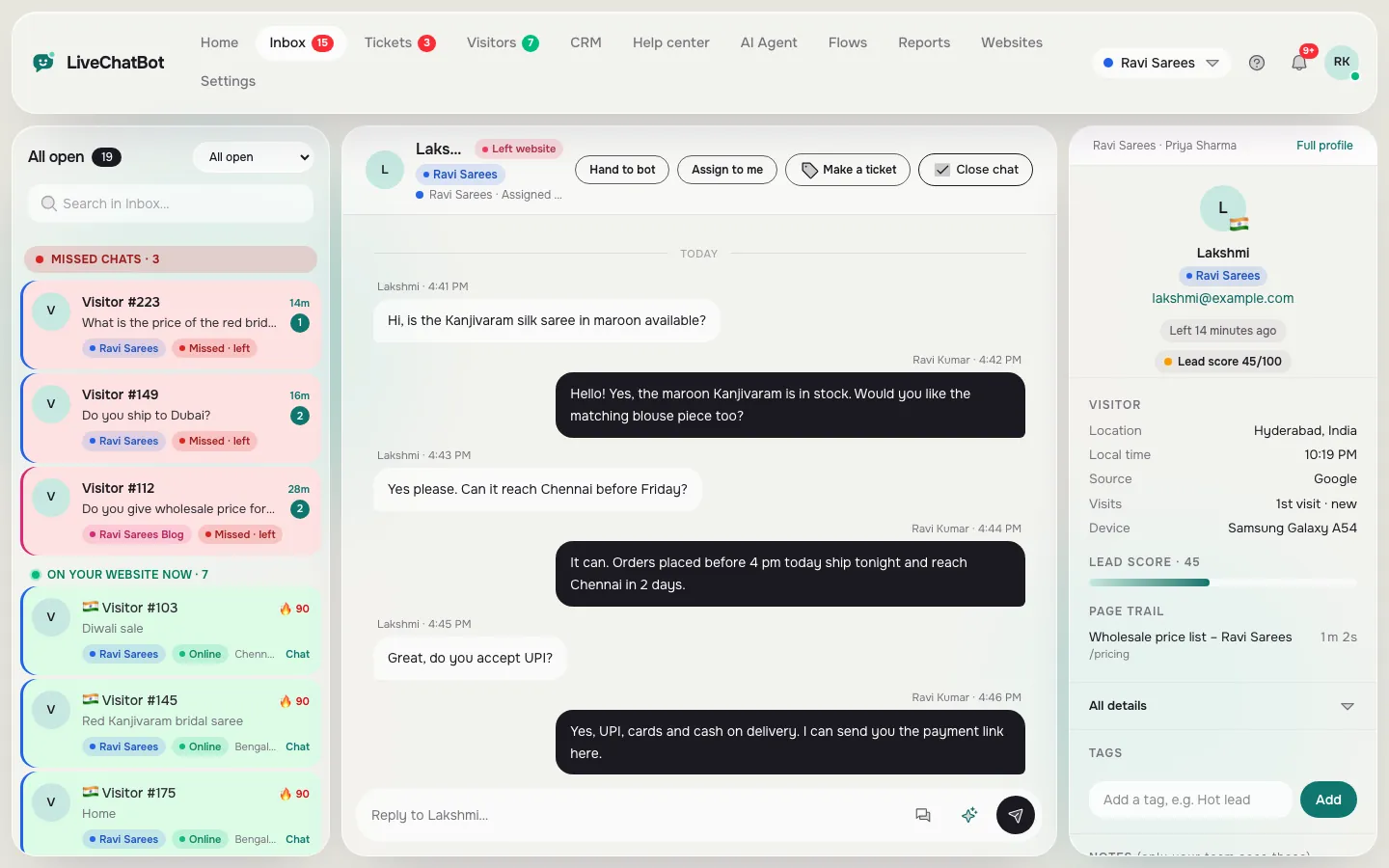
Shared inbox
Every chat from every website in one inbox, with the visitor beside it.
See how it works →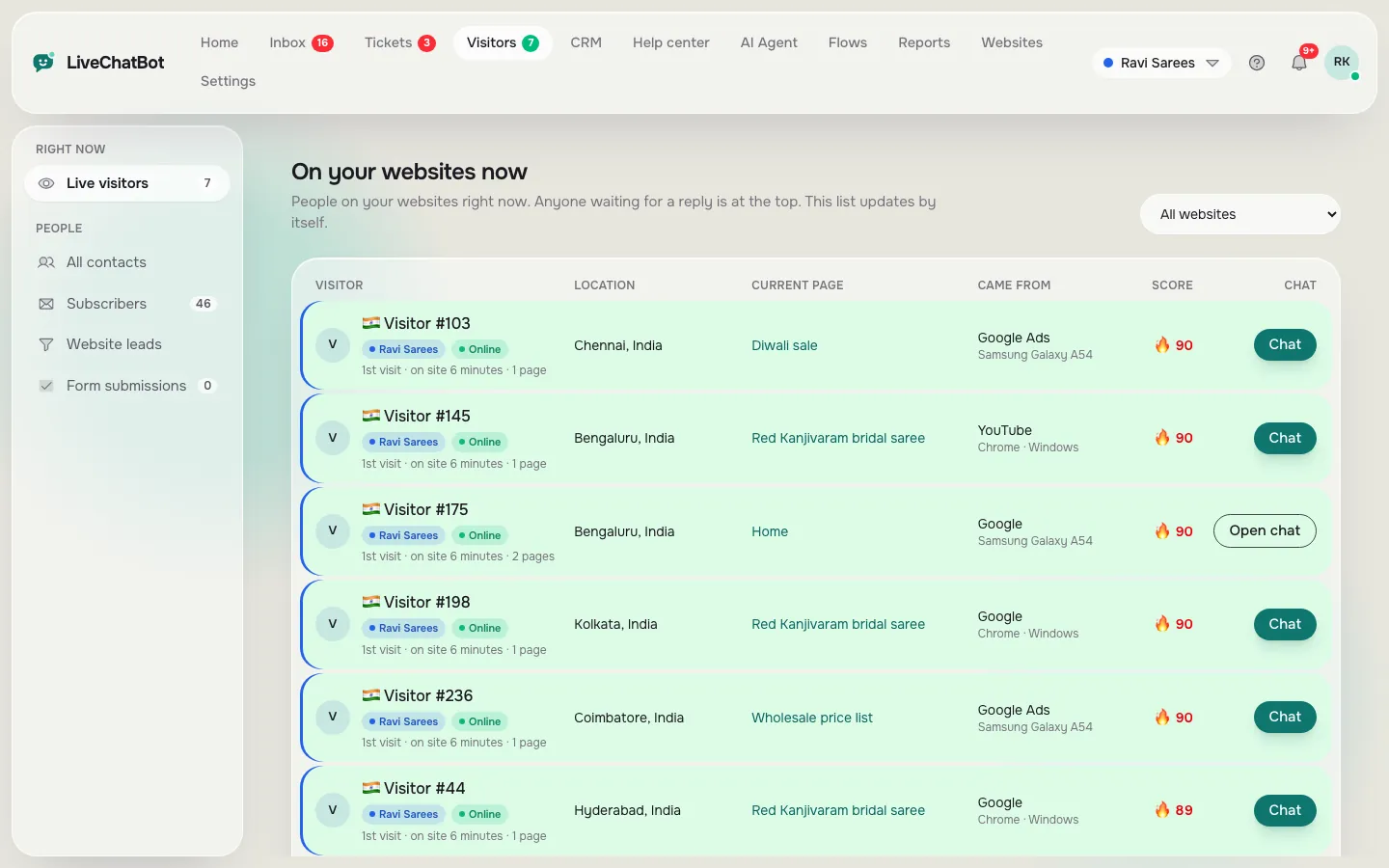
Live visitor tracking
See who is on your website right now and say hello first.
See how it works →
Team
Add agents, choose what they can do, and split chats into teams.
See how it works →