Demo
See LiveChatBot working, then book a free call
Follow one shopper from first visit to a sale in the one-minute tour, see the real screen behind every step, and book 15 minutes with us to set it up on your own website.
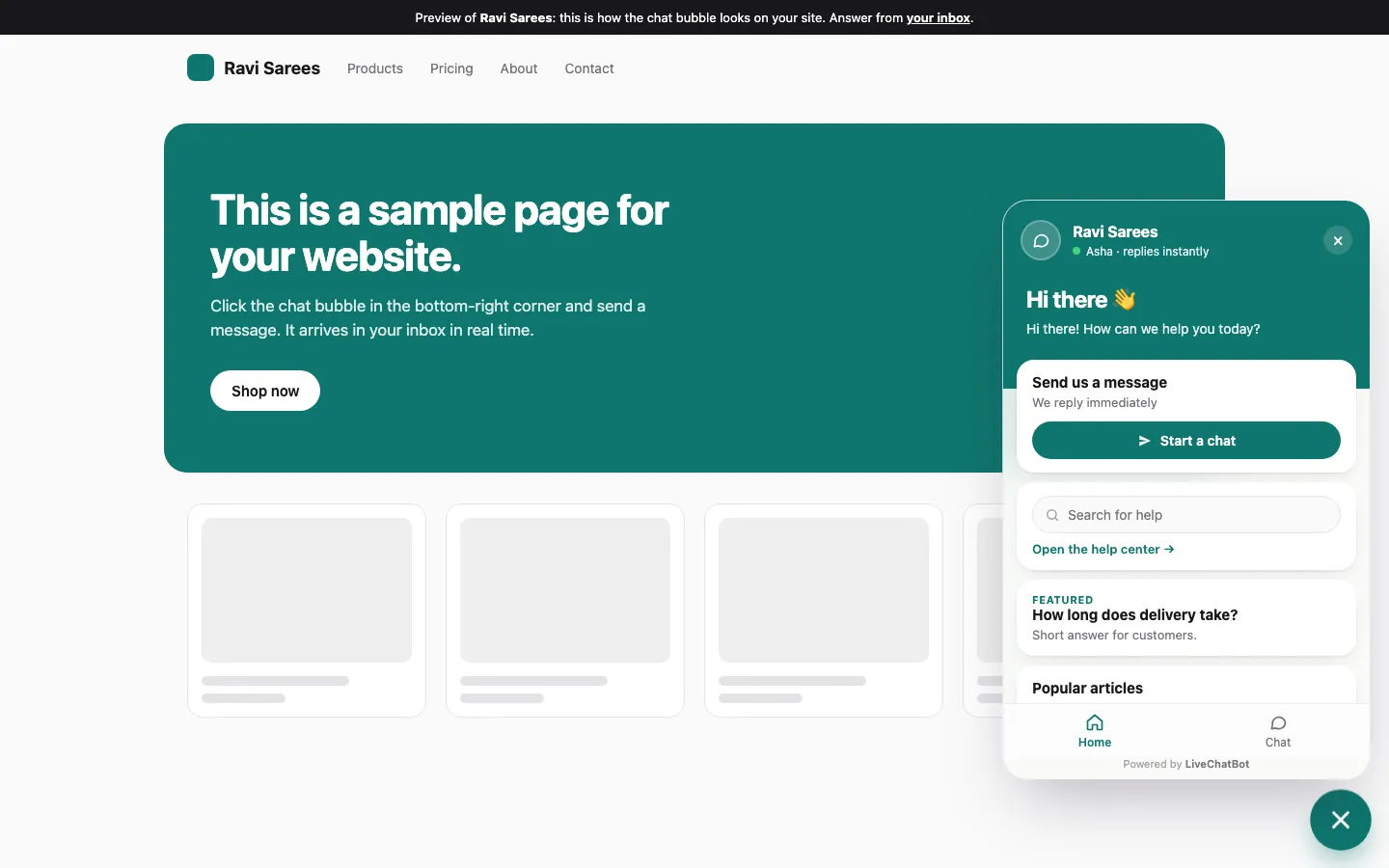
See it working in one minute
Follow one shopper from first visit to a sale. Then book a short call and we'll set it up on your website with you.
On your website now
You see every visitor live: where they came from and what they're reading.
From Instagram · /products/blue-kurta · 2nd visit
From Google · /shipping · new
Direct · /home · returning
A Flow says hello first
Priya has spent 40 seconds on a product page, so your Flow opens the chat for her.
The AI Agent answers, your team takes over
Answers come from your own FAQ and pages. Anything unusual goes to a person.
Your phone buzzes for hot leads
Lead score jumps when someone returns, views key pages or leaves their number.
Priya left her phone number on /checkout
LiveChatBot · now
The sale is linked to the chat
One line on your thank-you page connects each order to the conversation that won it.
Priya · after a chat with the AI Agent and your team
Reports then show chats, leads and sales from chat for each website.
Sample data · tap a step to pause
Book a live demo
We'll show LiveChatBot on your own website and answer pricing questions.
We'll confirm in the chat on this page and send the call link. Meanwhile you can start free and install the chat.
Every step, in the real panel
The tour above uses sample data. These are the actual LiveChatBot screens your team will use for each step. Tap a picture to see it full size.
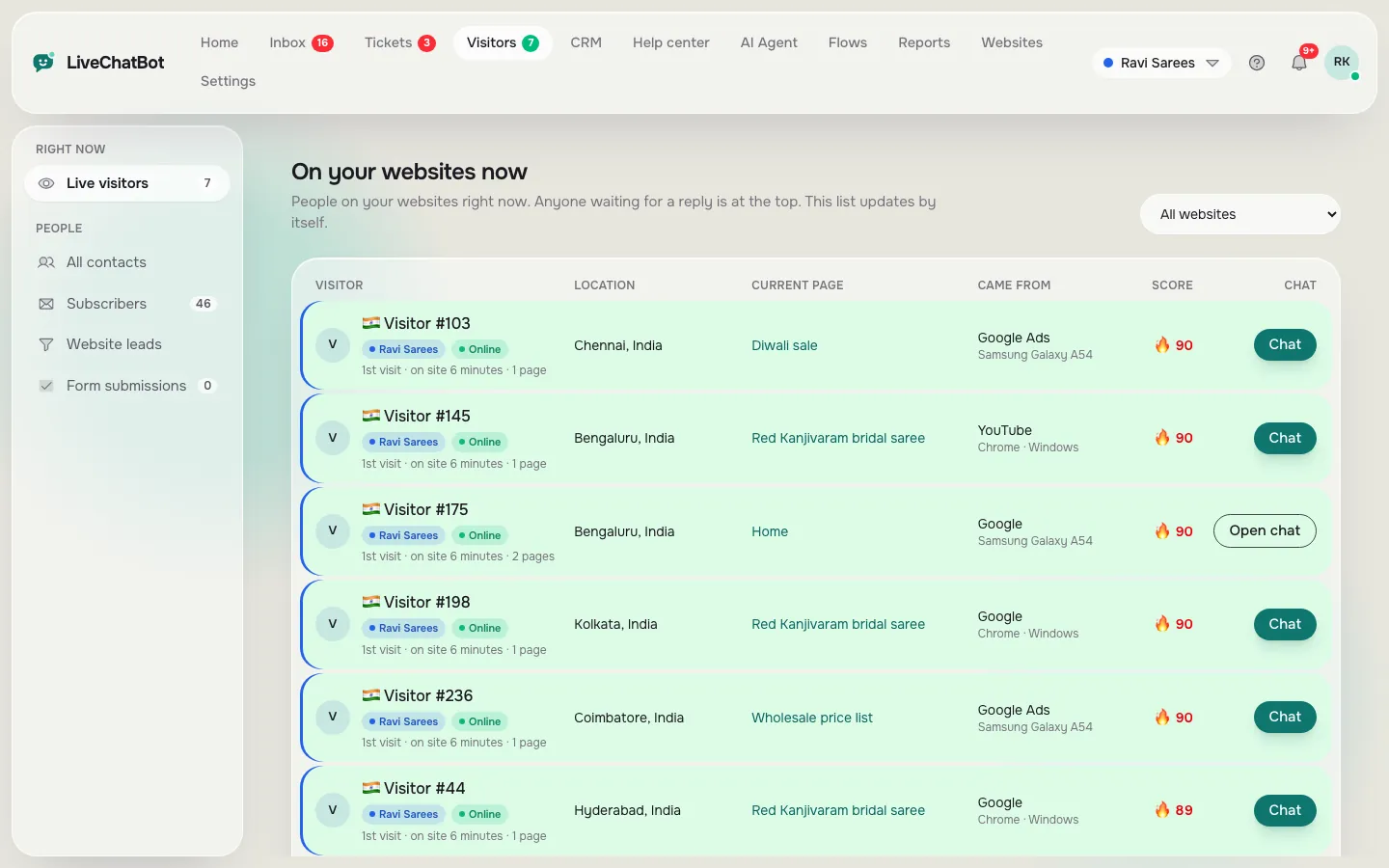
A visitor arrives
You see every visitor live: where they came from, the page they are reading, whether they are new or returning, and a lead score that rises as they show interest.
- Location and local time
- Traffic source: Google, Instagram, WhatsApp, ads
- A Chat button to say hello first
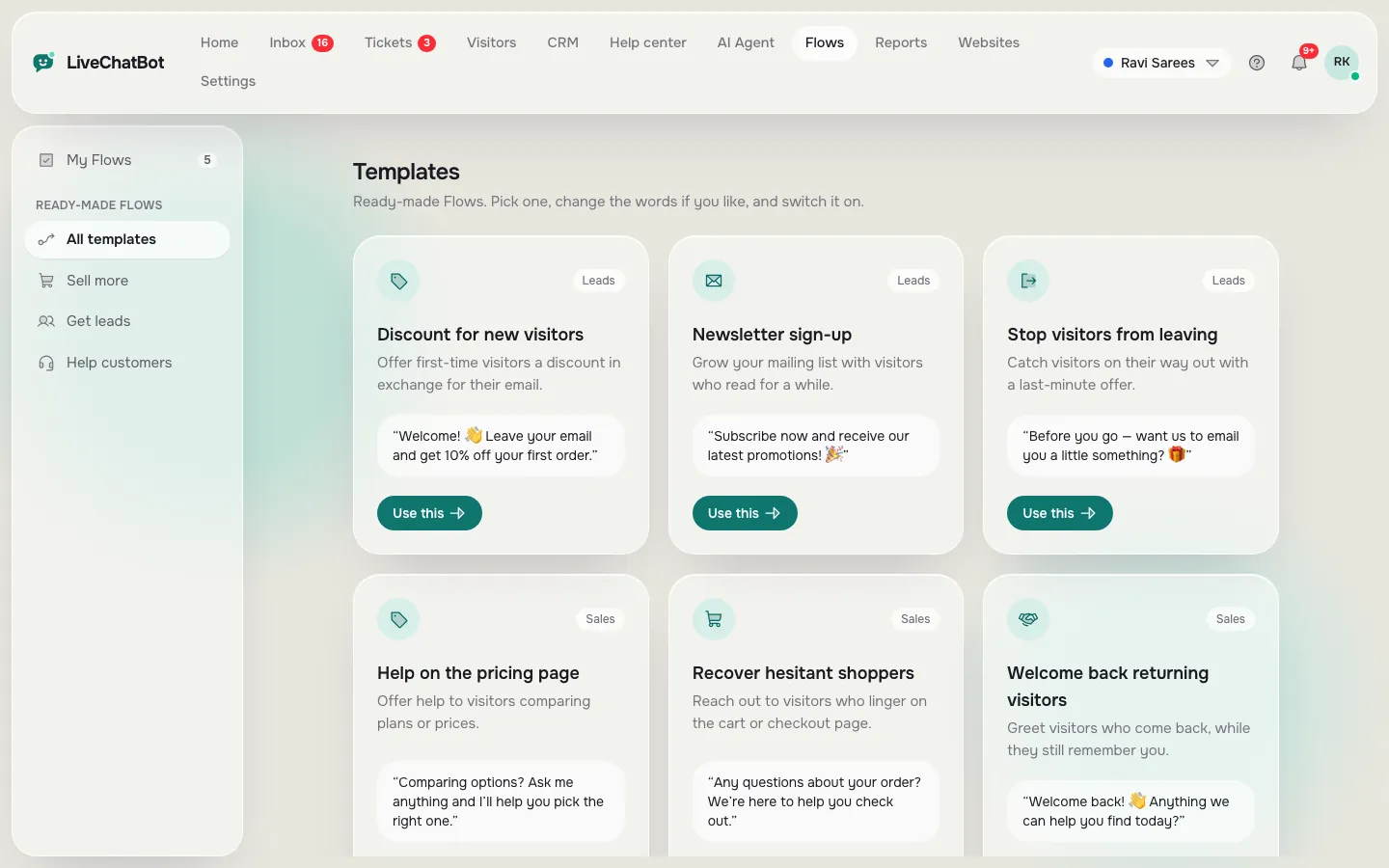
A Flow says hello first
Flows open the chat for you: greet people who linger on a product or pricing page, show an exit offer, or ask for an email and phone number. Start from a ready-made template.
- Pick the page and the wait time
- Discount, exit offer or a simple question
- Chat rescuer replies if nobody answers in time
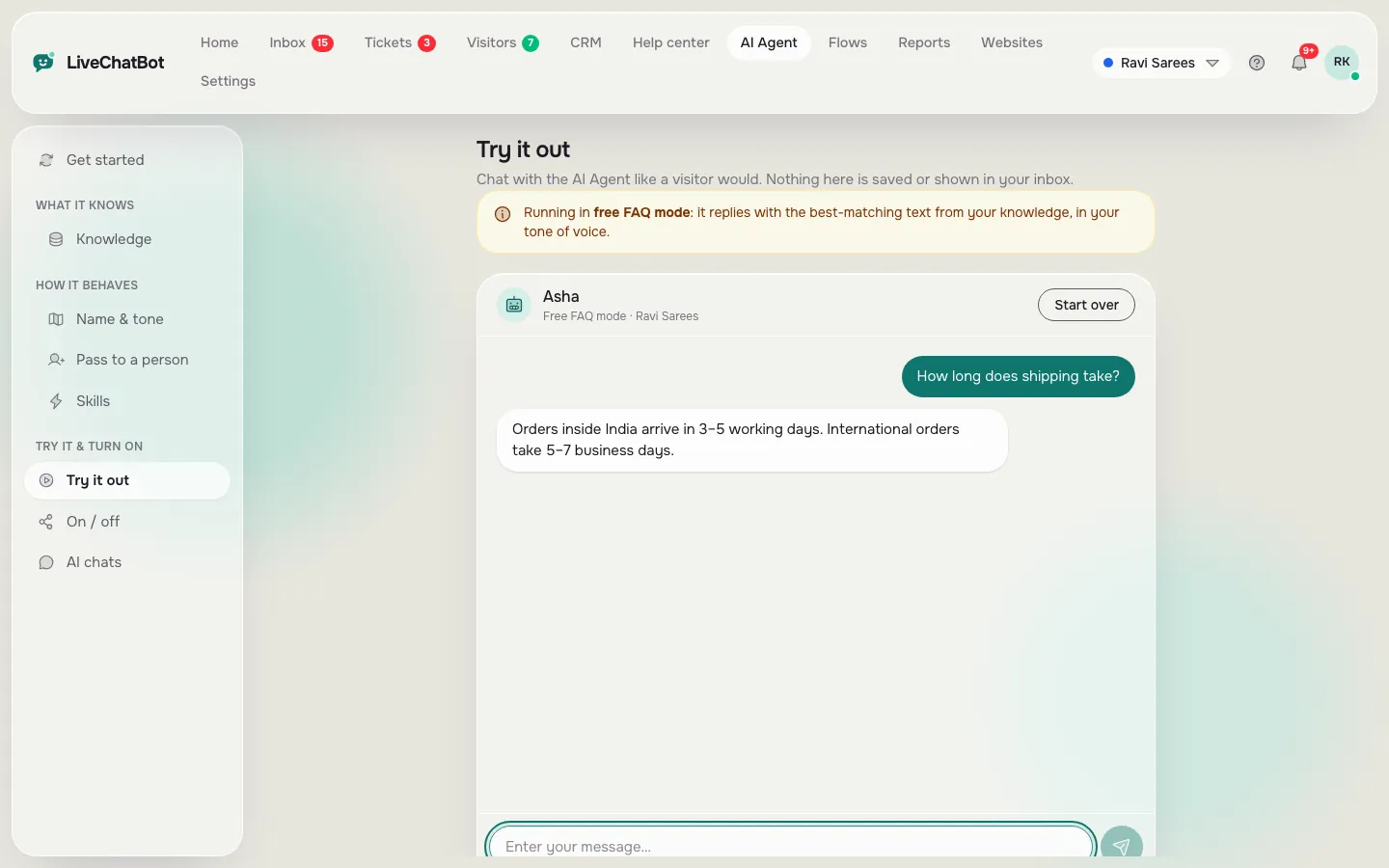
The AI Agent answers
The AI Agent replies from your own FAQ, pages and files. Test any question in the playground before you switch it on. When it can’t help, it hands the chat to your team.
- Answers from your knowledge base
- Your tone, your rules
- Any agent can take over
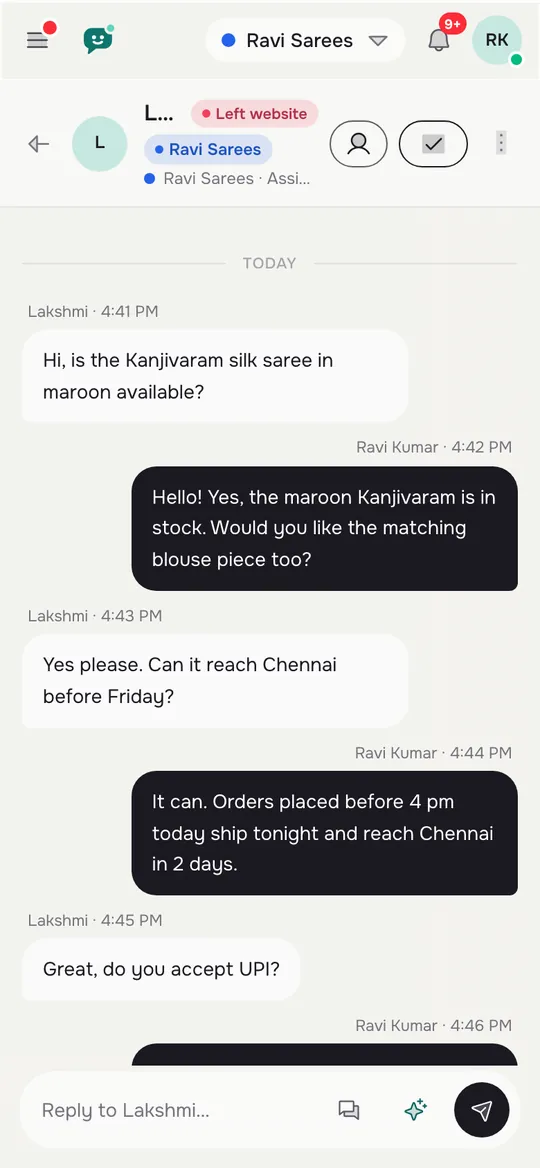
Your phone buzzes for hot leads
New chats and new leads reach the Android app in about a second, even when it is closed. Reply right from your phone.
- Instant New lead alerts
- Choose which alerts you get
- Web push and sound in the browser too
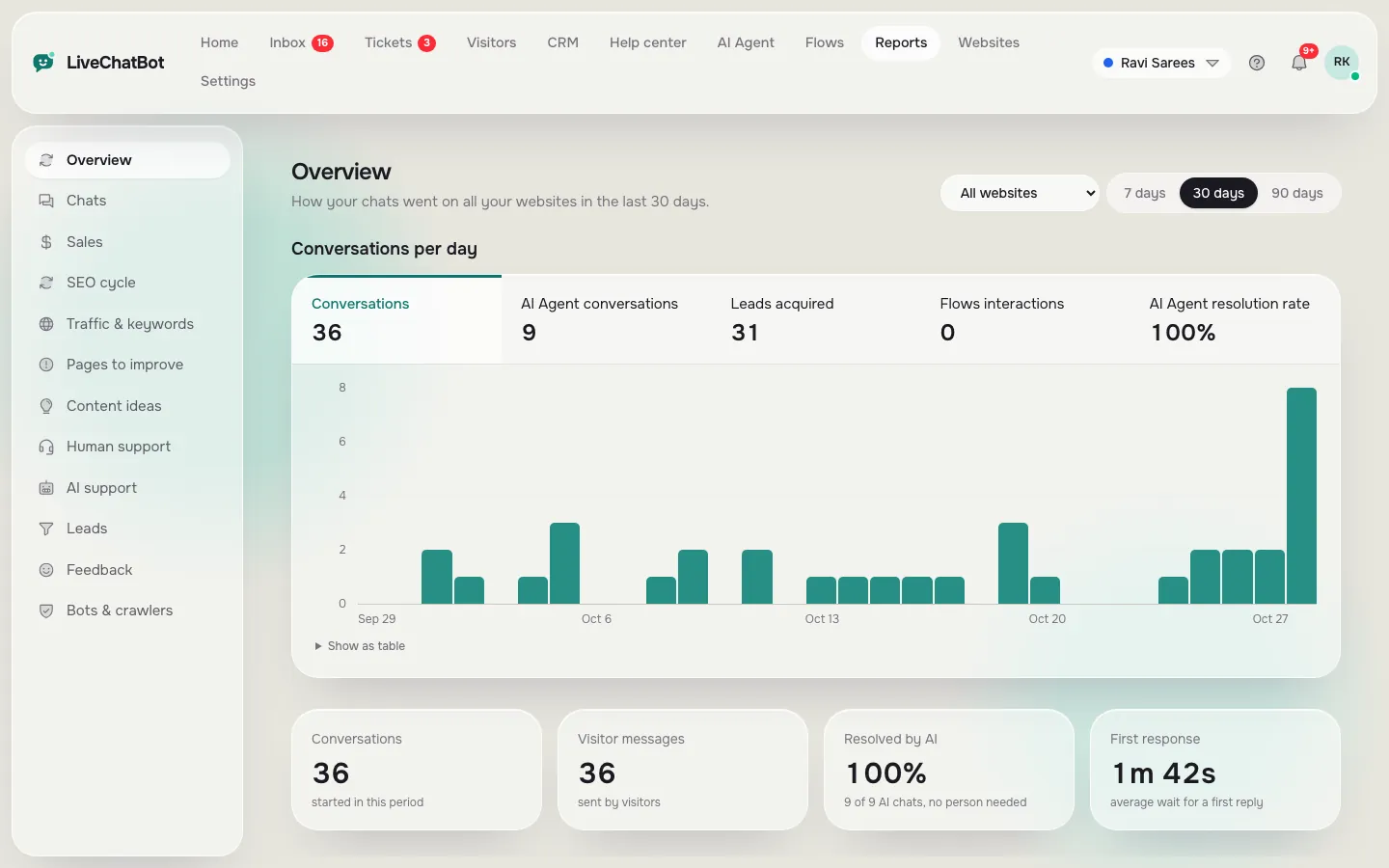
The result shows in Reports
Reports show chats per day, leads captured, how much the AI Agent solved and how fast your team replies, for each website. One line on your thank-you page links each sale to its chat.
- Chats, leads and sales from chat
- First reply time and missed chats
- AI Agent resolution rate
What happens on the call
We look at your website
Tell us what people ask you most. We show where chat helps on your own pages.
We set it up with you
Install the chat, add your first answers for the AI Agent and turn on a Flow, together.
You get clear pricing
We work out what you'd pay, often nothing on the free plan. No pressure to buy.
Proof you can check before you pay
Live from LiveChatBot, updated every hour.
Be one of our first customers, and we'll set it up for you
- We set up the chat on your website for you, free
- A free AI reply pack added to your account
- Direct line to the founder for help
In return, after 30 days you tell us honestly how it went, and if you agree we share your results here.
Try it on this page
The chat bubble in the corner is LiveChatBot. Ask it anything and watch how fast the reply comes.
The whole product, free
No locked features and no trial clock. Install it and judge it on your own visitors.
Your numbers from day one
Reports show chats, response times, leads captured and sales linked to chats for each website.
Before you book
Can I see a demo first?
Yes. Click through the one-minute tour or book a free 15-minute call. You can also message the chat bubble on this page, which runs on LiveChatBot.
Does it work on WordPress or Shopify?
Yes. Use the WordPress plugin, or paste the one-line script on Shopify, Wix, Squarespace or any site where you can add a script.