Use cases

Live chat for the way your business sells

Pick your business type to see the problem it solves, a sample chat, the real screens your team will use and what you will measure in Reports.
Free plan, no time limitNo credit cardReal screenshots below
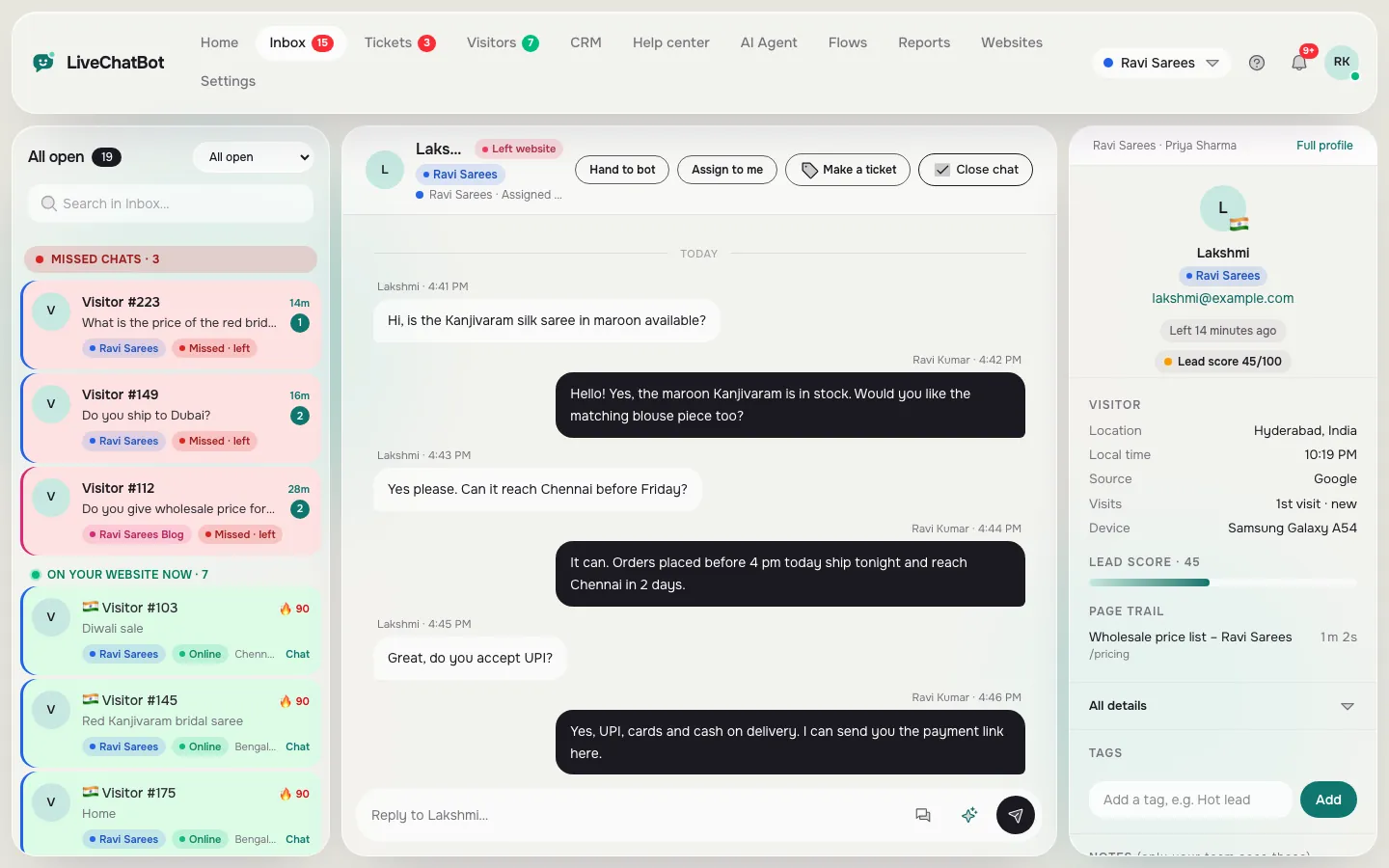
LiveChatBot shared inbox with the chat list on the left, an open conversation in the middle and visitor details on the right
The shared inbox every business type answers from: chats on the left, the conversation in the middle, the visitor on the right.

Online stores

Turn “Is this in stock?” into an order

Shopify, WooCommerce and D2C stores where 1–5 people answer customers.

The problem: Shoppers ask about size, delivery and COD, get no answer, and close the tab before checkout.

  • AI Agent answers size, delivery and returns from your FAQ
  • Flow greets people who linger on cart or checkout
  • Lead score and Android alerts for hot shoppers
  • One line on your thank-you page links each order to its chat

What you'll measure: Chats on product pages, leads captured, and sales linked to chats in Reports.

Hi, does the blue kurta come in XL? Can I pay cash on delivery?
AI Agent Yes, XL is in stock. Cash on delivery is available on orders up to ₹5,000.
Lead score 82 · 3rd visit · on the checkout page → your phone buzzes
Your team Hi Priya! Use code FIRST10 for 10% off your first order.

Sample conversation

The screens you’ll use

Real LiveChatBot screens with sample data. Tap a picture to see it full size.
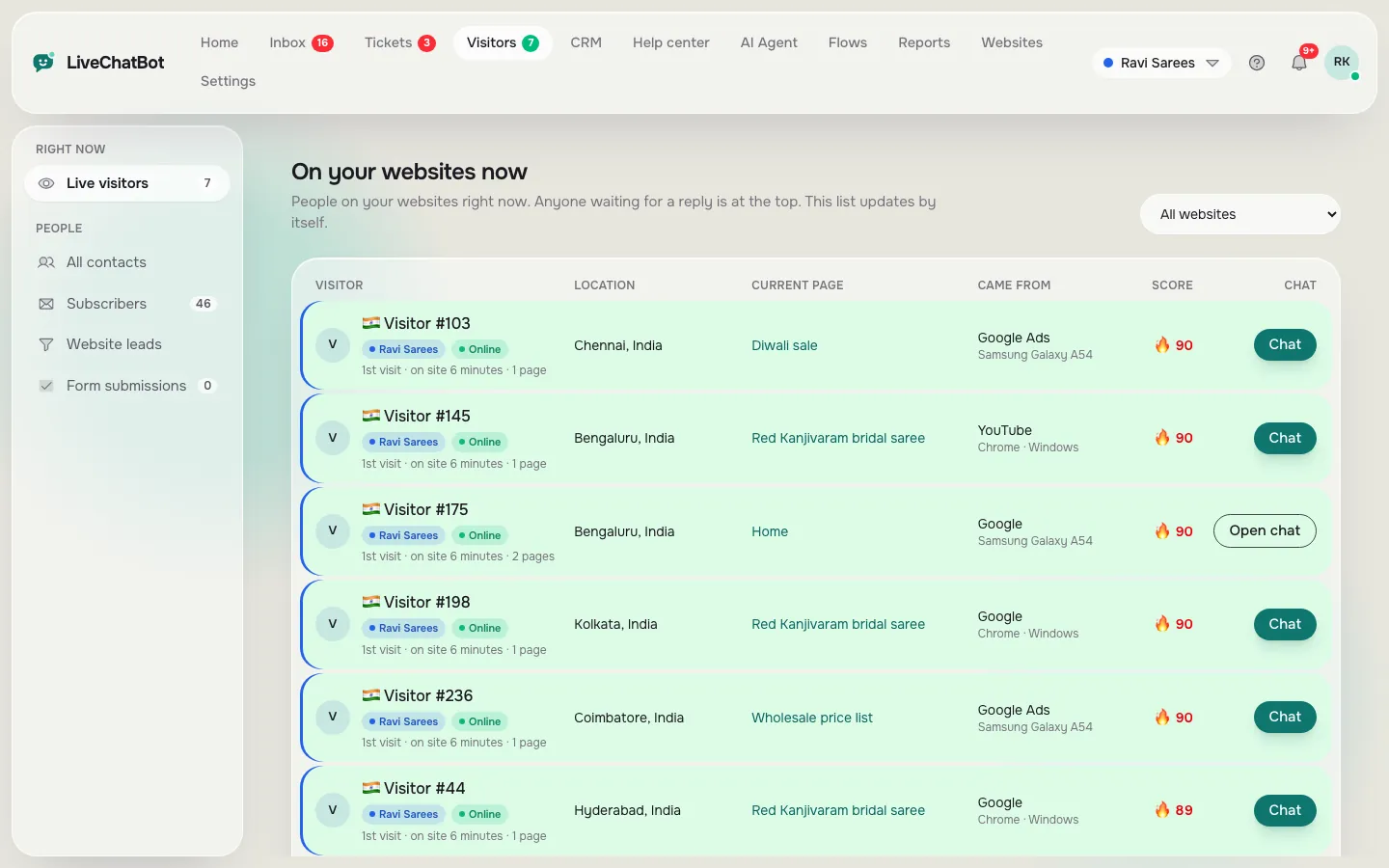
Live visitors table in LiveChatBot with location, current page, traffic source, lead score and a Chat button
See who is on your store right now, which page they are reading and their lead score.
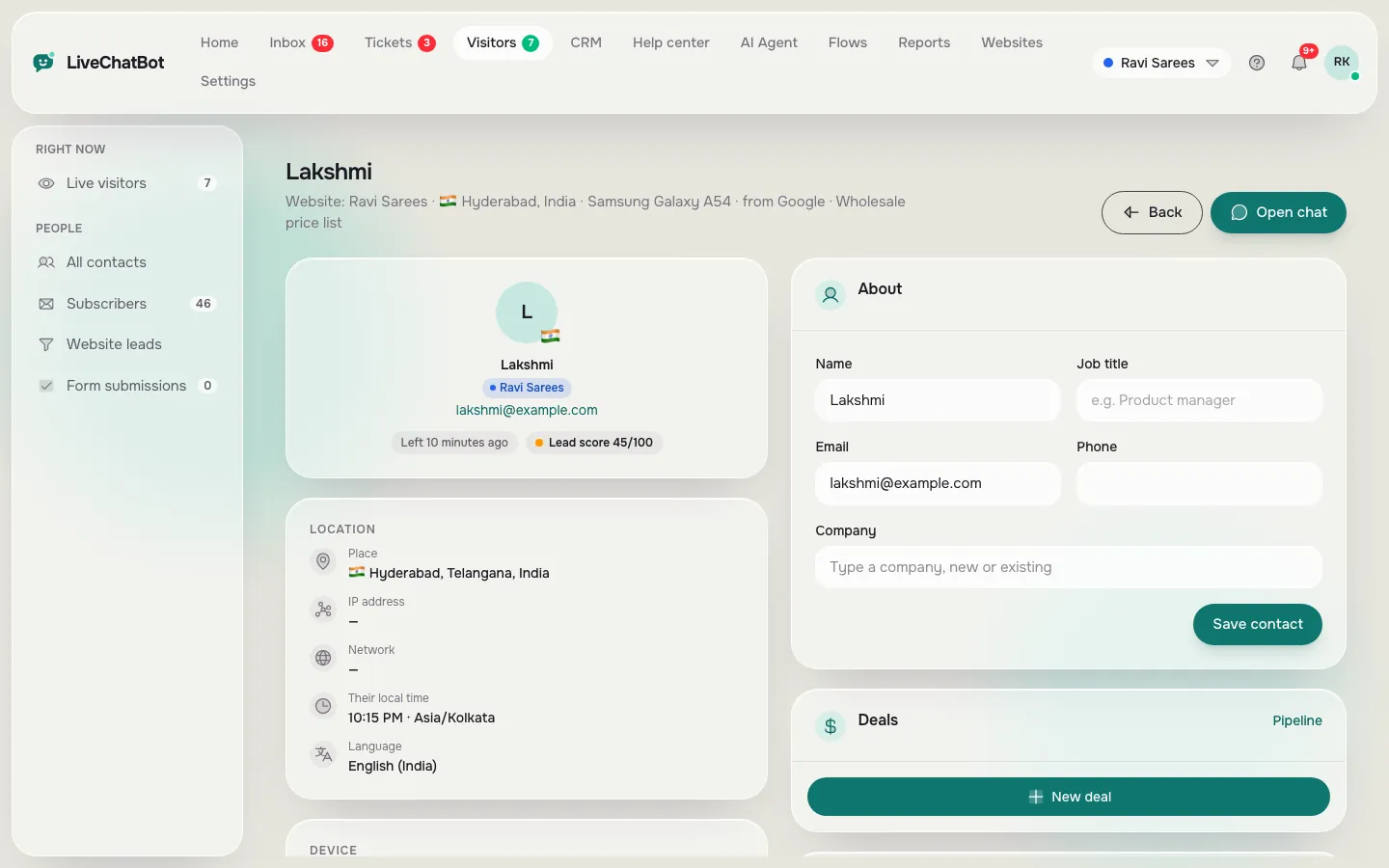
Visitor profile in LiveChatBot with location, local time, network, language, lead score and contact details with deals
Before you reply, see where the shopper is, their local time, lead score and contact details.
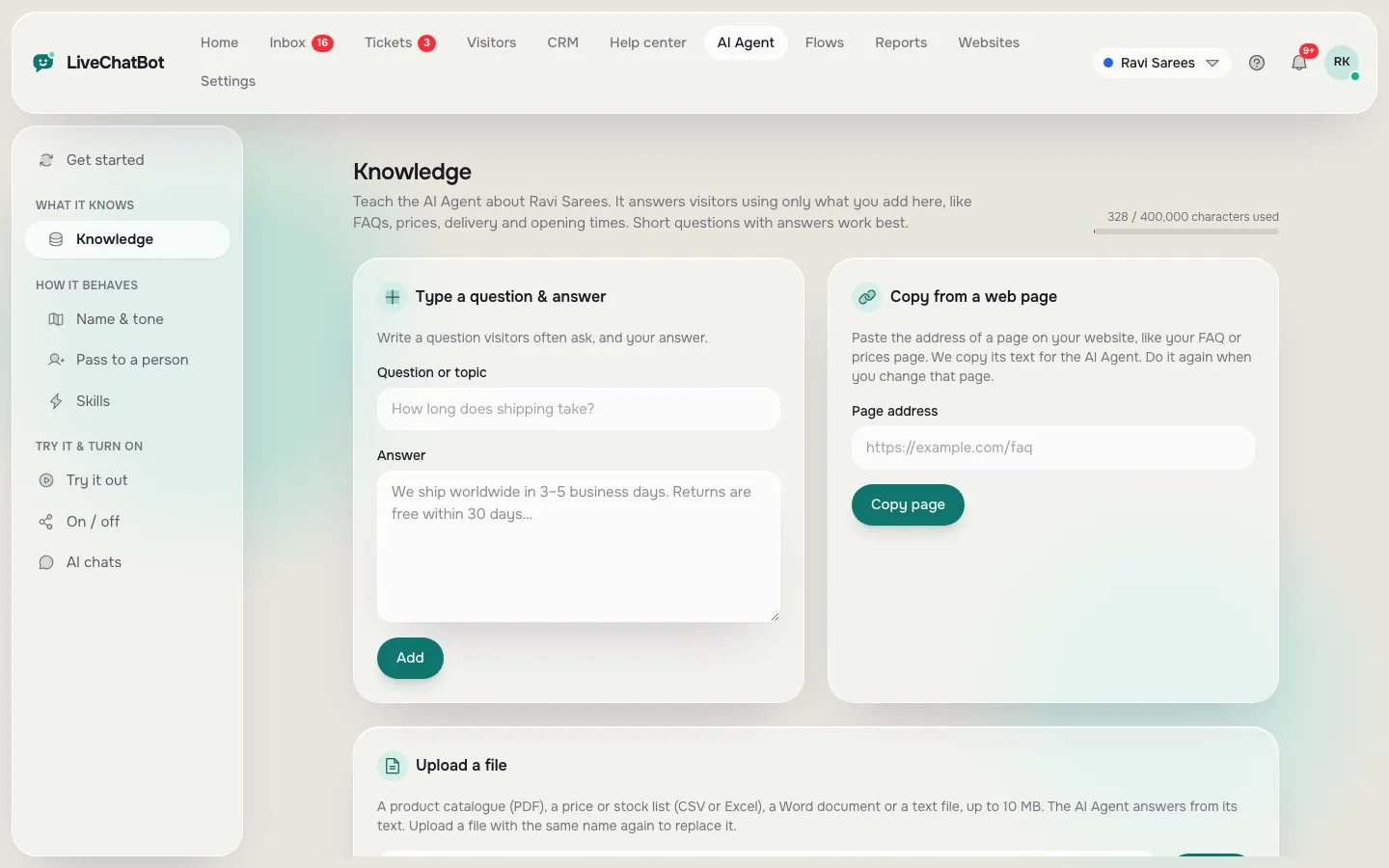
AI Agent knowledge page in LiveChatBot with forms to type a question and answer, copy a web page or upload a file
Teach the AI Agent your size, delivery, COD and returns answers once: type them, copy a page or upload a file.

Coaching & education

Answer fee and batch questions before parents call someone else

Coaching centres, tutors and online course sellers.

The problem: Parents and students ask about fees, timings and demo classes late in the evening, when nobody is at the desk.

  • AI Agent answers fees, timings and syllabus from your pages
  • Flow on the Fees page offers a call back
  • Email or phone captured when nobody is online
  • Leads move through the Sales CRM pipeline

What you'll measure: Leads per week from the Fees page and how many became enrolments in the CRM.

What is the fee for the JEE weekend batch? Is there a demo class?
AI Agent The weekend batch fee and demo dates are on our Fees page. Shall I ask the team to call you?
Phone number captured · New lead alert sent to the counsellor
Your team Hi! I can book you into Saturday’s free demo class at 10 am.

Sample conversation

The screens you’ll use

Real LiveChatBot screens with sample data. Tap a picture to see it full size.
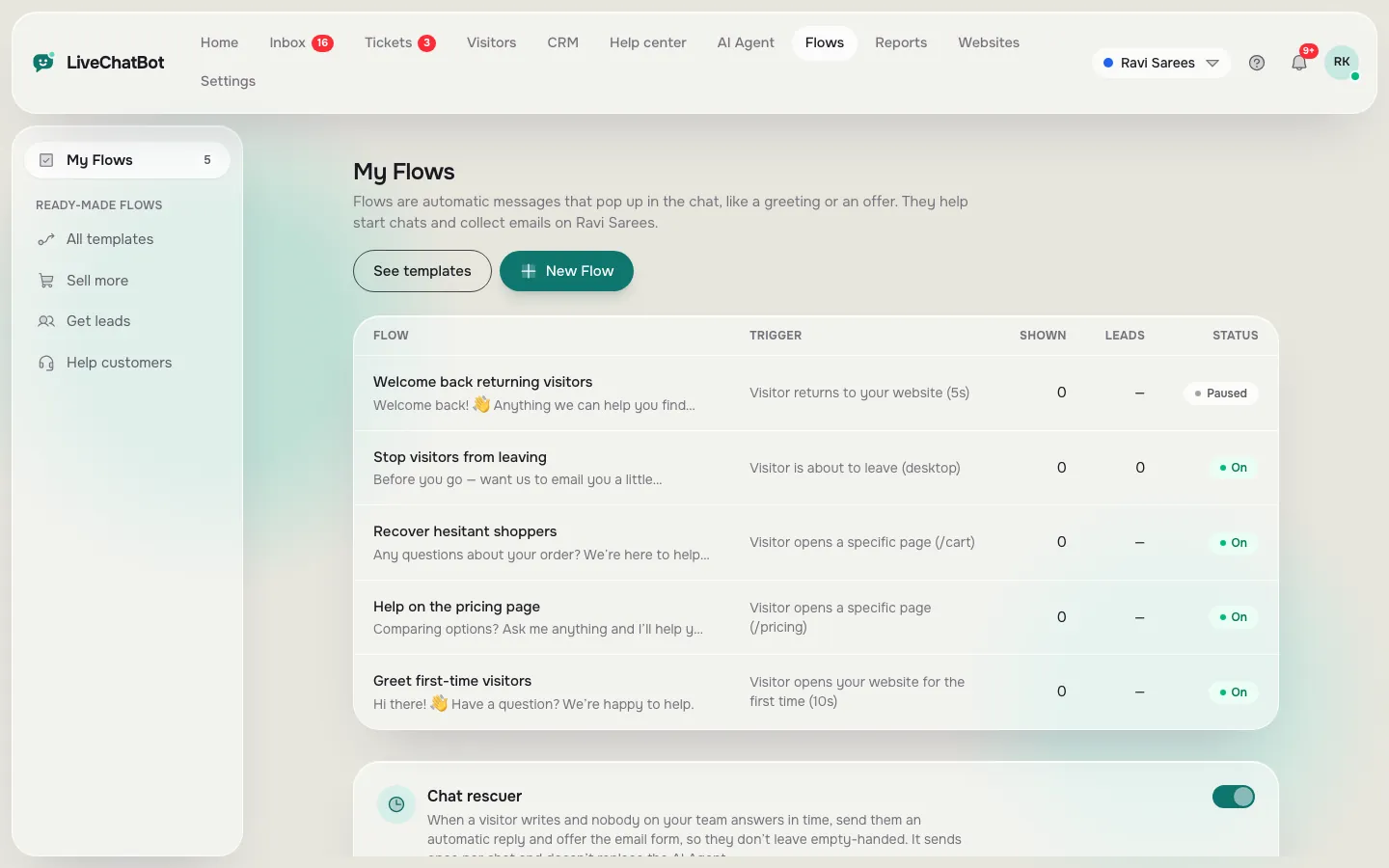
My Flows list in LiveChatBot with greetings, an exit offer and help on the pricing page, with the chat rescuer below
Flows greet people on the page you choose, like your Fees page, and ask for their phone number.
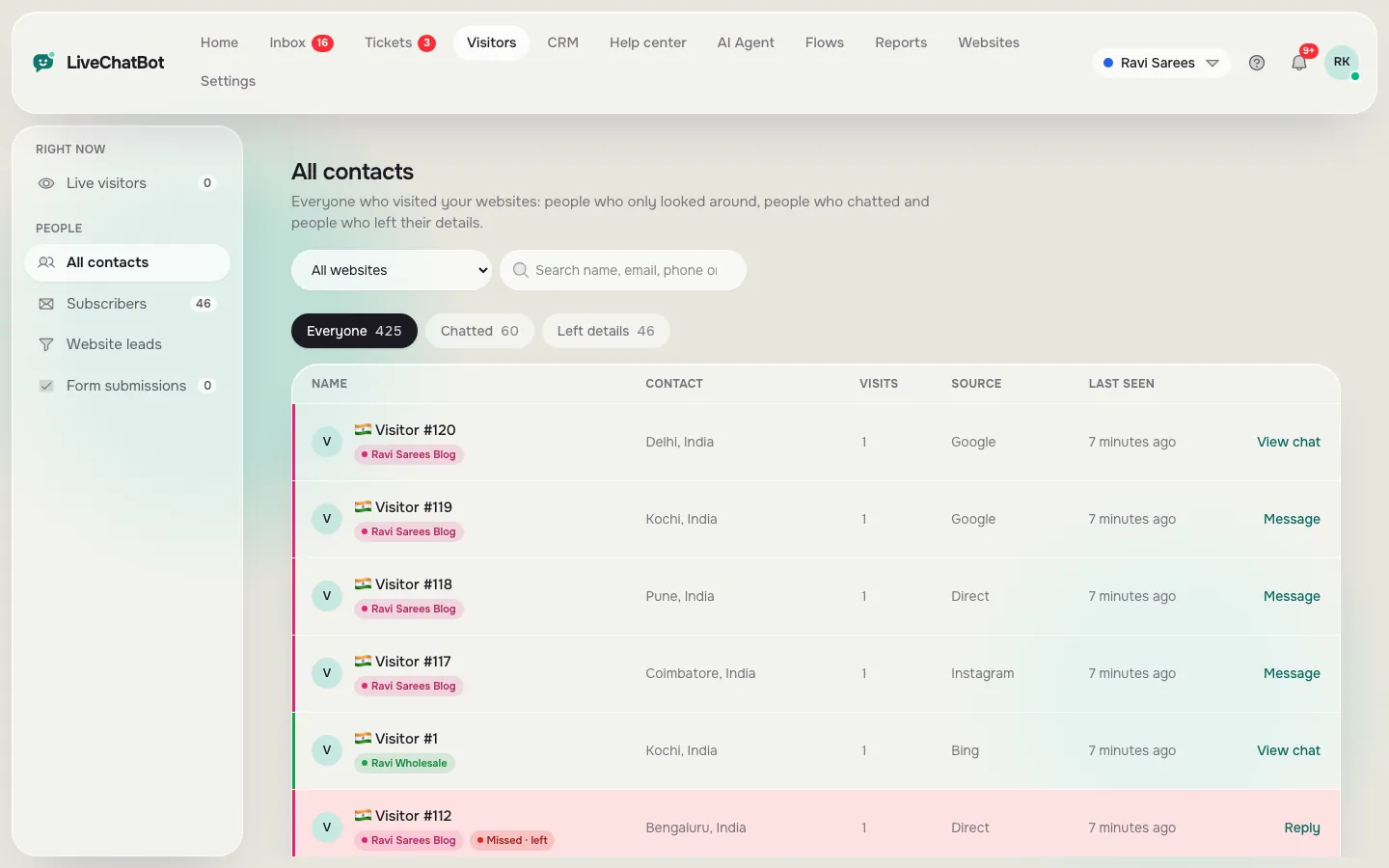
Contacts list in LiveChatBot with visitor names, locations, visits, source and last seen time
Everyone who chatted or left their details lands in Contacts, ready for your counsellor.
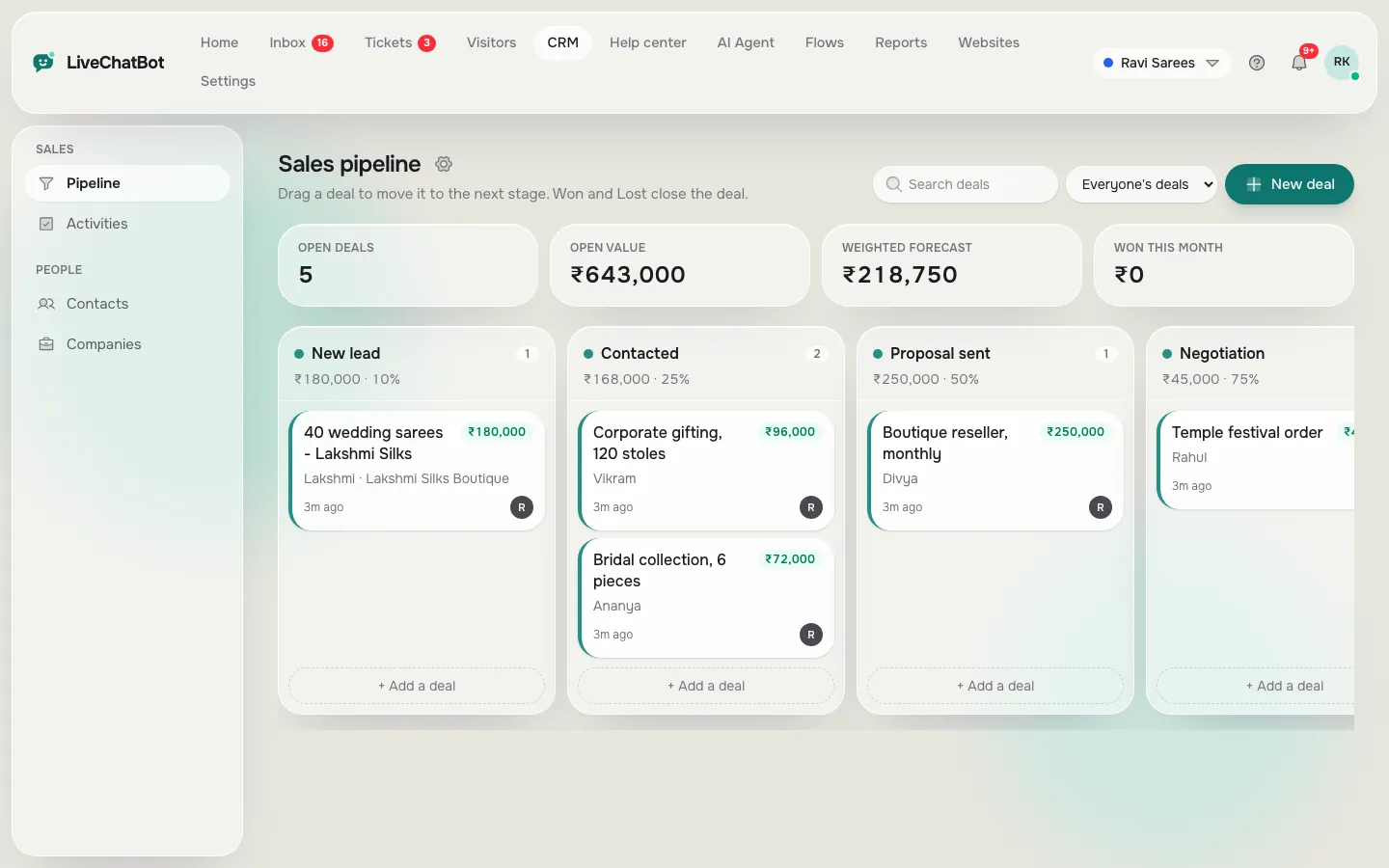
Sales pipeline board in LiveChatBot with deals in New lead, Contacted, Proposal sent and Negotiation stages
Move each enquiry through your pipeline, from first chat to enrolment.

Clinics & local services

Book the visit instead of missing the call

Clinics, salons, repair shops and other local businesses.

The problem: People check timings and prices on their phone, try to call once, and book with the next place on Google.

  • Operating hours with an away form after hours
  • AI Agent answers timings, location and prices
  • Android app so the owner replies between appointments
  • Visitor location and local time next to every chat

What you'll measure: Missed-call style enquiries now captured as chats and phone numbers.

Are you open on Sunday? How much is a cleaning?
AI Agent We are open 10 am – 2 pm on Sundays. Cleaning prices are on our Services page.
After hours → visitor leaves their phone number for a call back
Your team Good morning! We have a 11:30 slot today. Shall I hold it for you?

Sample conversation

The screens you’ll use

Real LiveChatBot screens with sample data. Tap a picture to see it full size.
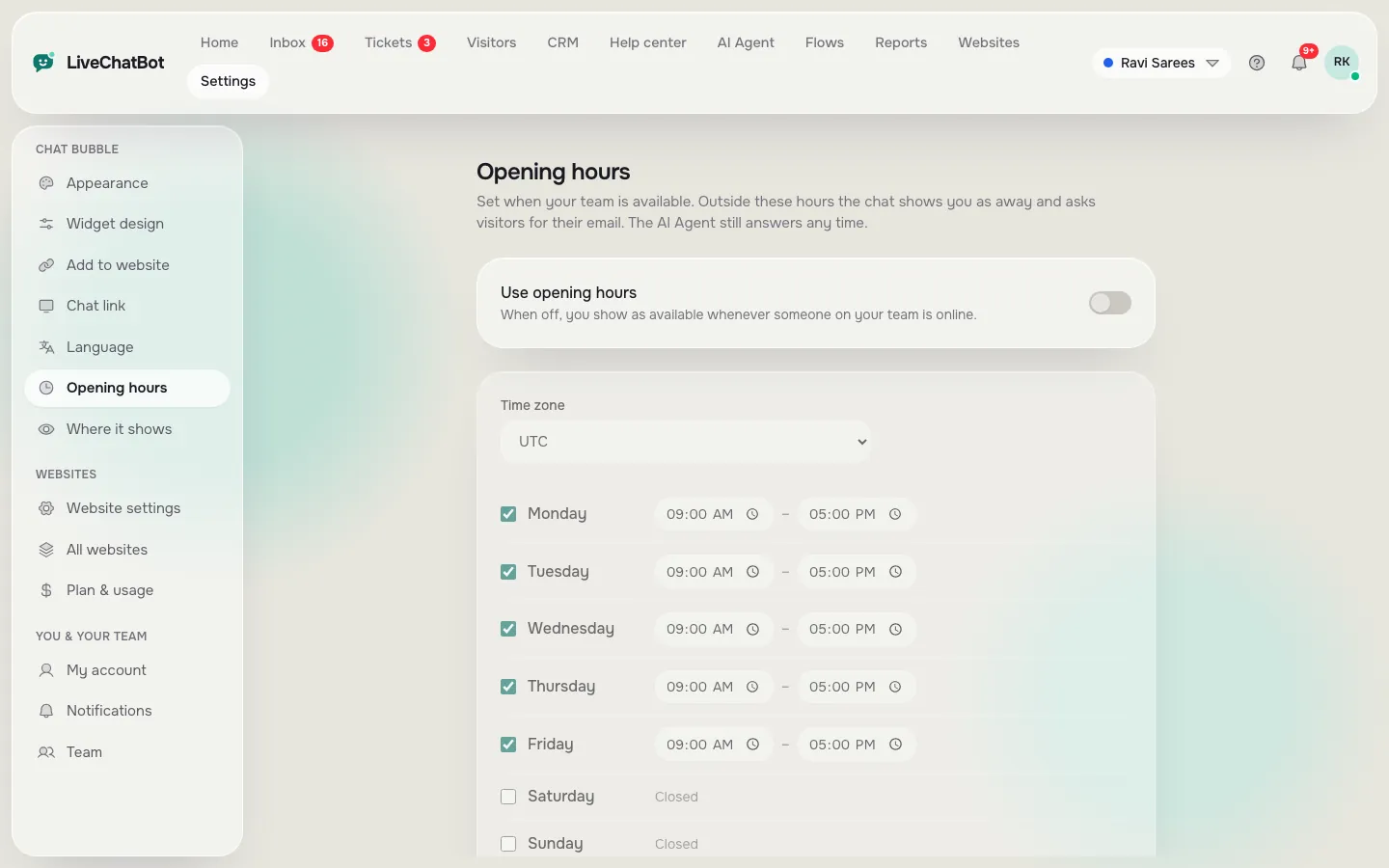
Opening hours settings in LiveChatBot with a time zone and opening and closing times for each day
Set your clinic or shop timings. After hours, visitors leave their email and phone number for a call back.
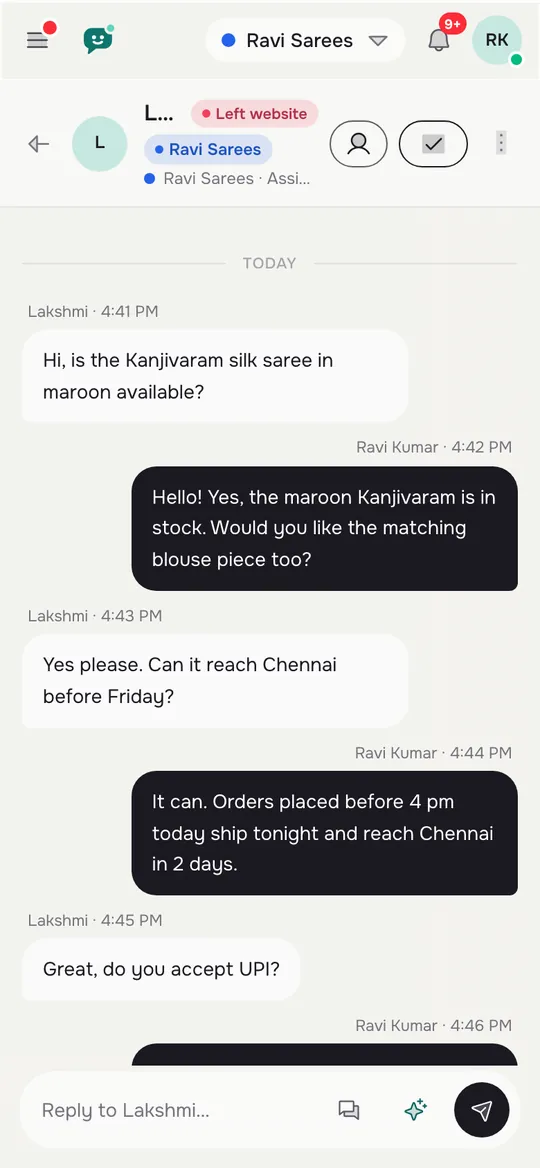
LiveChatBot Android app showing a chat with a customer on the phone
Reply from your phone between appointments. New chats arrive in about a second.
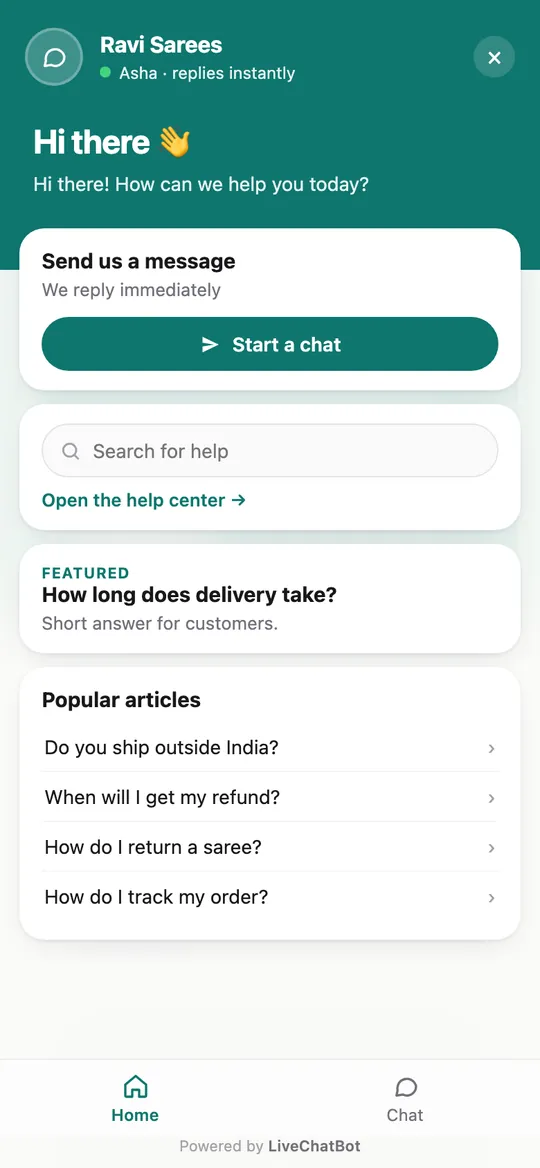
LiveChatBot chat widget on a phone with the home tab, help search and popular articles
What your customer sees on their phone: the chat fills the screen, so it is easy to type.

Agencies

Run chat for every client website from one inbox

Web agencies and freelancers who build and look after client sites.

The problem: Every client wants chat, but juggling a separate tool and login per client wastes hours.

  • Many websites, one shared Inbox with colour labels
  • Each website has its own widget, AI Agent and Flows
  • Add teammates per website
  • Extra websites ₹99 for 6 months each

What you'll measure: Chats and leads per client website, ready to share in your monthly report.

On client-site.com: Do you deliver to Pune?
AI Agent Yes, we deliver across Maharashtra in 2–3 days.
Coloured website label shows which client the chat belongs to
Your team Team reply from the same shared inbox, with the client’s own widget and tone.

Sample conversation

The screens you’ll use

Real LiveChatBot screens with sample data. Tap a picture to see it full size.
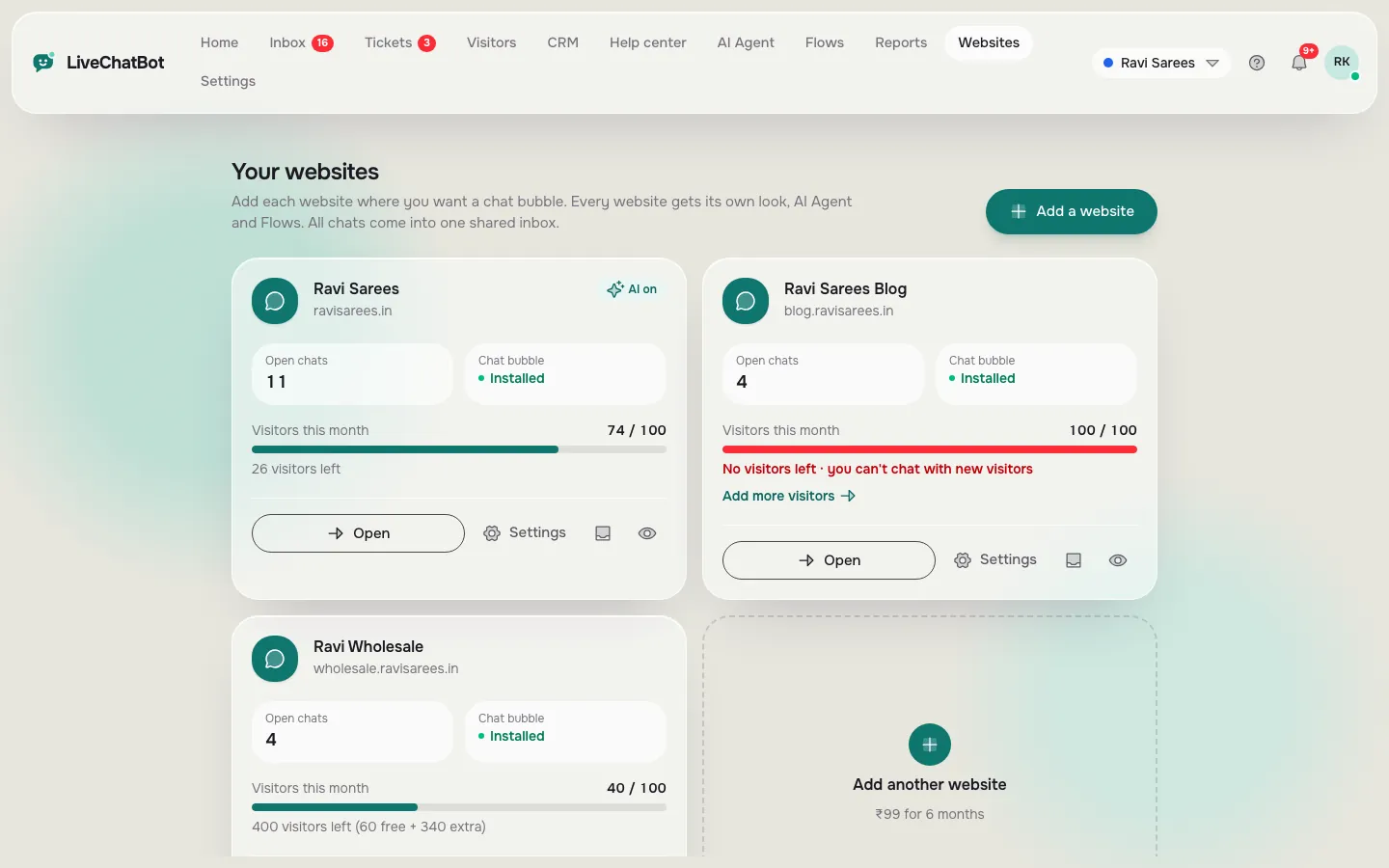
Your websites page in LiveChatBot with cards for three websites showing open chats, install status and visitors this month
Every website in one account, each with its own chats, install status and visitors this month.
LiveChatBot shared inbox with the chat list on the left, an open conversation in the middle and visitor details on the right
Answer every website from one shared Inbox, with the visitor's details next to the chat.
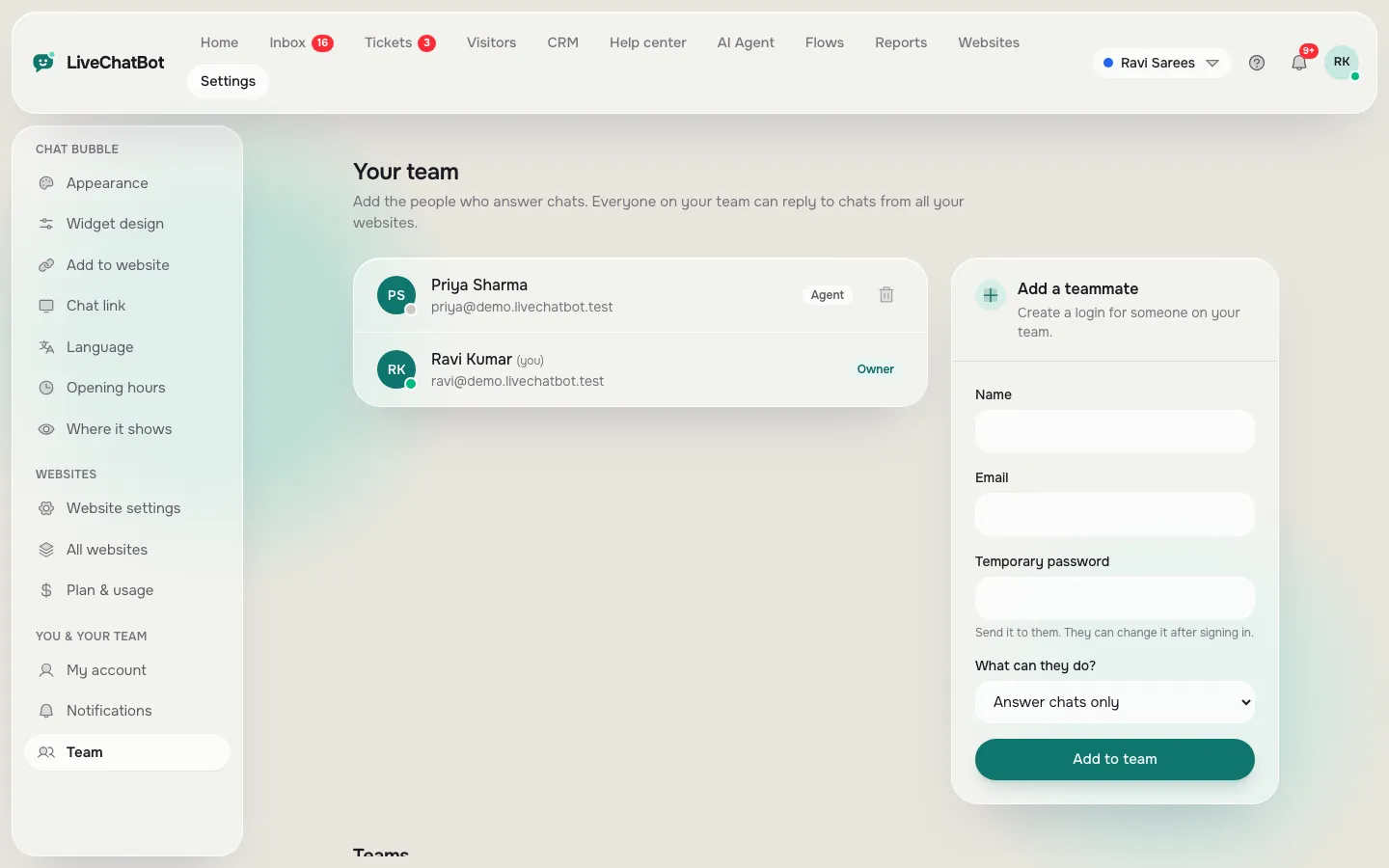
Team page in LiveChatBot listing an owner and an agent, with a form to add a teammate and choose what they can do
Add teammates and choose what each one can do.

See it on your own website

Book a free 15-minute call and we'll set it up for your business type with you, or start free and install it in two minutes.

Try it for your business, free

Start free See all features