FAQ
Questions people ask about LiveChatBot
Straight answers on pricing, setup, the AI Agent, the Android app and your data, with the real screen each answer is about. Still stuck? Ask the chat bubble on this page.
Getting started
Can I see a demo first?
Yes. Click through the one-minute tour or book a free 15-minute call. You can also message the chat bubble on this page, which runs on LiveChatBot.
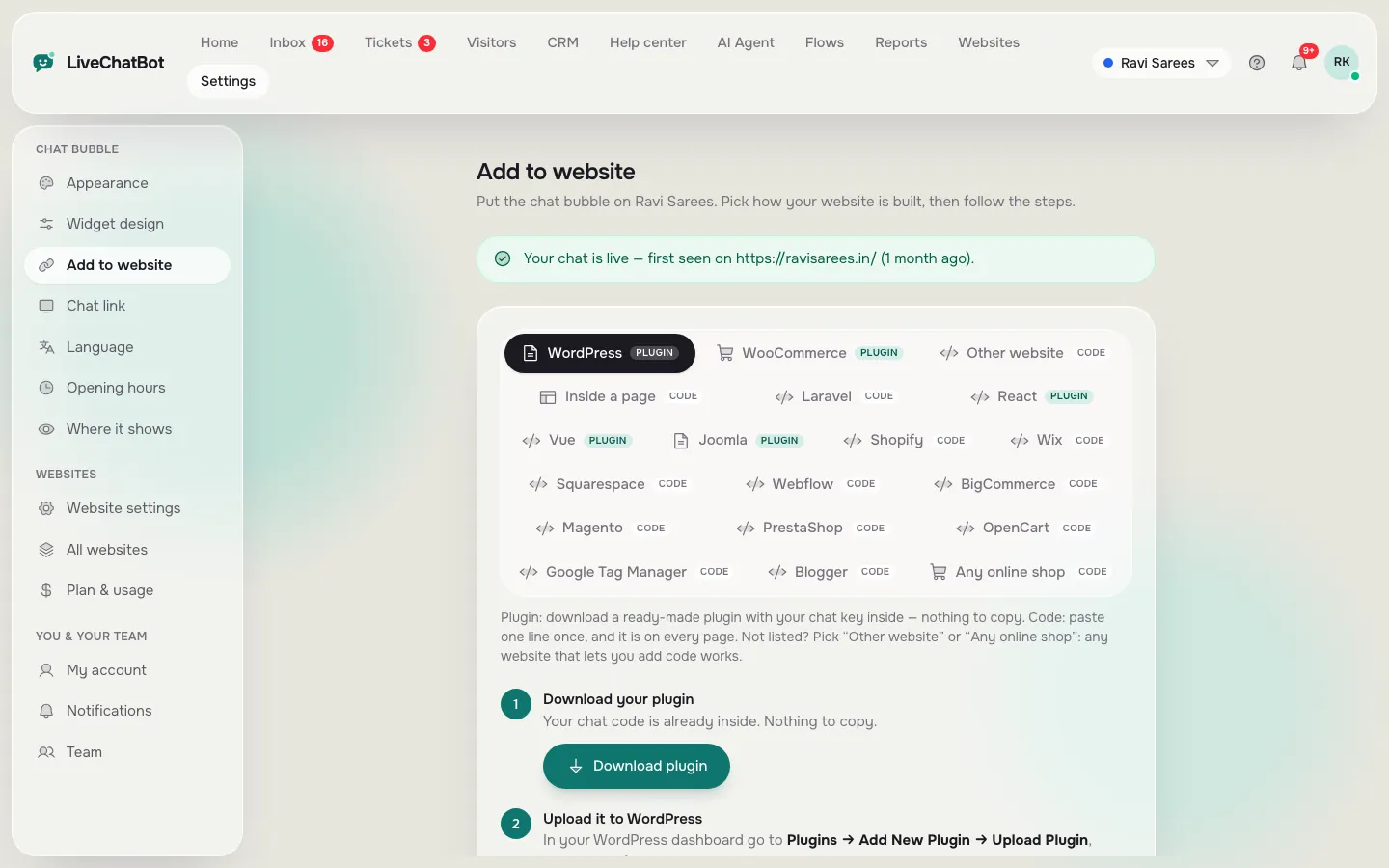
Does it work on WordPress or Shopify?
Yes. Use the WordPress plugin, or paste the one-line script on Shopify, Wix, Squarespace or any site where you can add a script.
Pricing and billing
Is it free?
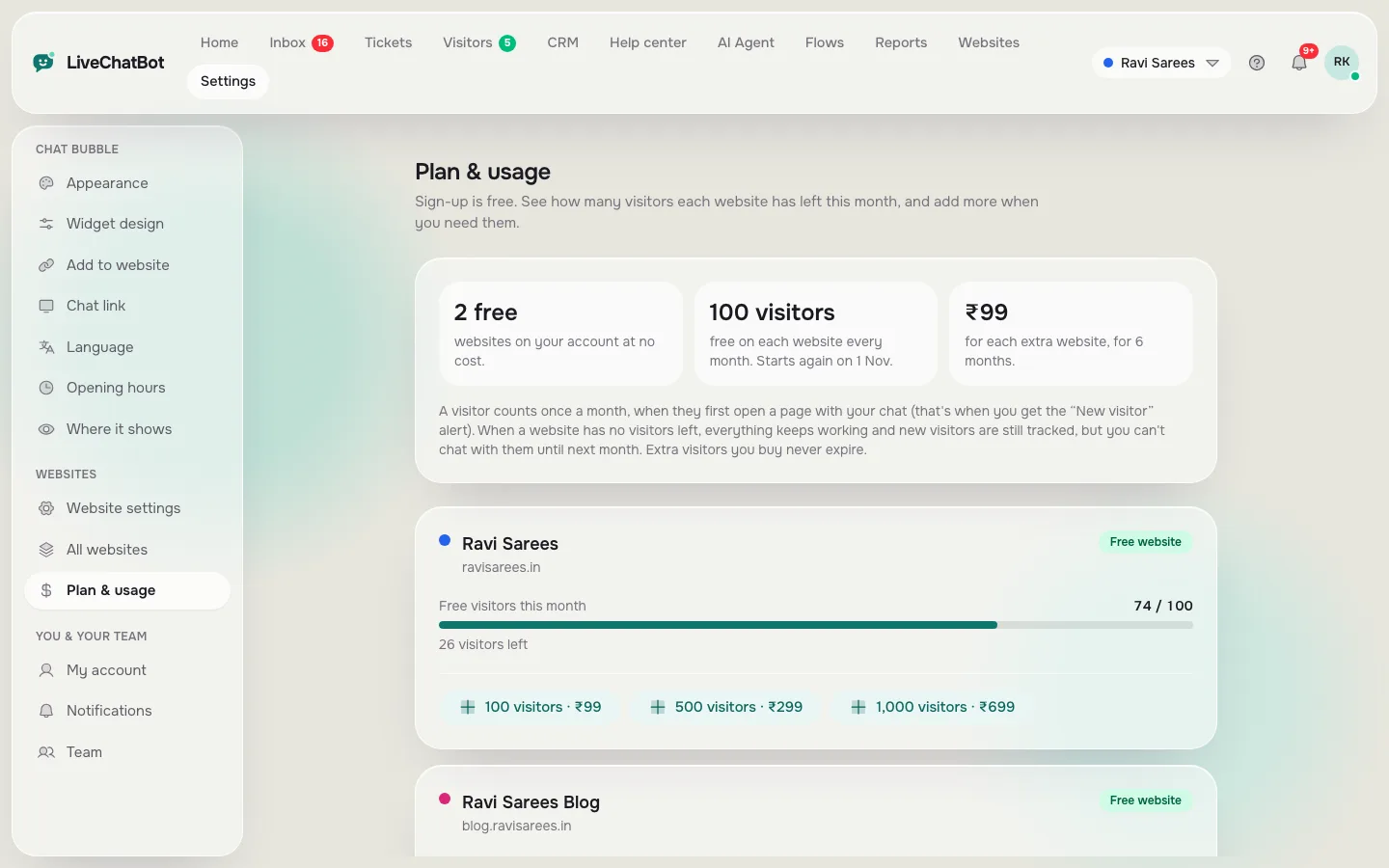
Yes. Every account gets 2 websites and 100 visitors per website every month for free, with every feature. No credit card is needed. You only pay if you add visitor packs or extra websites.
What do paid plans cost?
Visitor packs for one website: 100 for ₹99, 500 for ₹299 or 1,000 for ₹699. An extra website costs ₹99 for 6 months. Use the cost calculator to see your monthly total.
Is there a free trial?
The free plan is the trial, and it has no end date. You get the full product, so you can test it on real visitors before paying anything.
Is it a monthly subscription?
No. Packs and extra websites are one-time payments through Razorpay. Nothing renews or charges you automatically.
What happens when I reach the visitor limit?
Your website keeps working, and visitor tracking and alerts carry on. Only new chats with visitors over the limit pause until next month or until you add a pack.
How many websites can I add?
2 websites are free. Each extra website is ₹99 for 6 months, with its own widget, and all chats arrive in one shared Inbox.
Using LiveChatBot every day
How many agents can I have?
You can add teammates from the Team page in your account. They sign in and reply from the same Inbox.
Is there a mobile app?
There is an Android app that alerts you about every visitor and message in about a second, even when it is closed (download it free, or from Settings → Notifications). On other phones you can use the web app in your browser and install it to your home screen.
Does the AI Agent need setup?
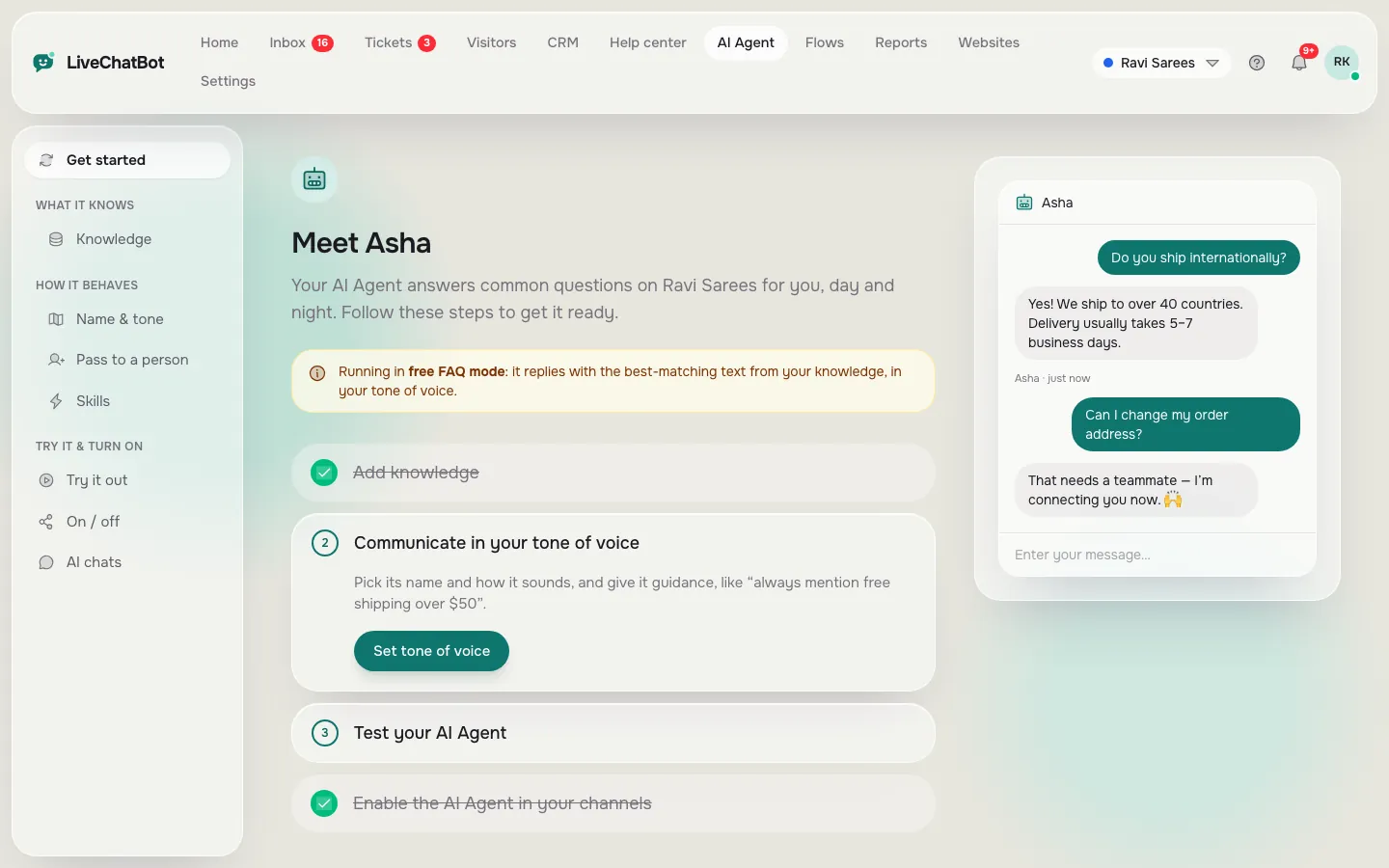
A little. Import your FAQ or website pages into the knowledge base, add some guidance on tone, then test it in the playground before turning it on.
What happens when nobody is online?
You can set operating hours. When no one is available, visitors are asked for their email and phone number so your team can get back to them later.
Refunds and your data
Can I get a refund?
Payments for packs and extra websites are non-refundable, so please use the free plan first. See our Refund policy.
Is my data safe?
We take care with your data and only use it to run the service for you. Your chats and visitor details are visible only to your account and your team.
Want to see it first?
Take the one-minute tour, read how each feature works, or ask us anything in the chat on this page.